
Introduction
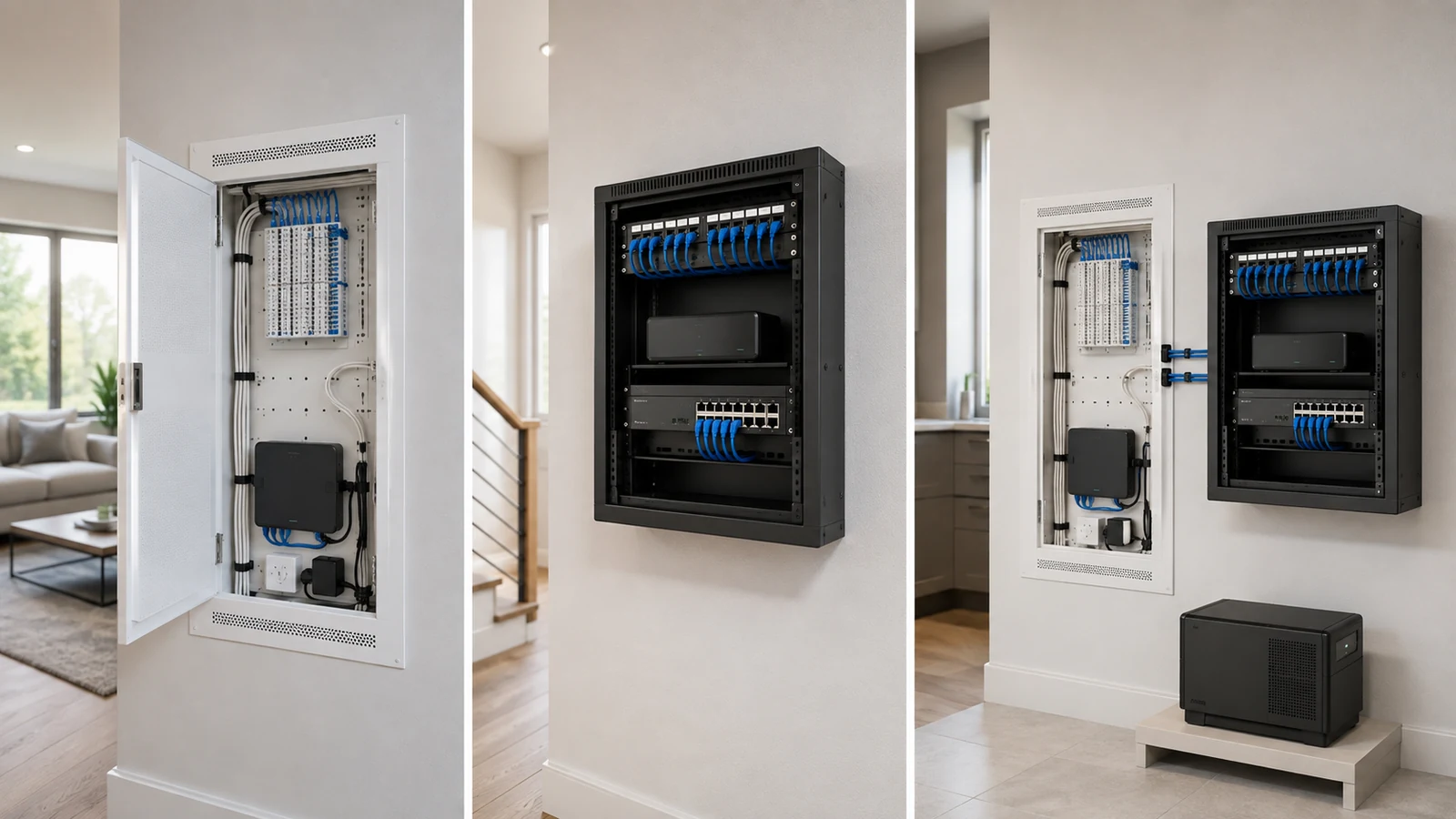
A structured wiring panel and a network rack can both organize residential network infrastructure, but they solve the problem differently.
A structured panel provides a compact, often recessed location for cable terminations and smaller devices. A network rack provides standardized mounting space for patch panels, switches, gateways, recorders, power equipment, and cable management. Some homes need only one. Others work best when the two are used together.
The decision should not be based on whether one option looks more professional. It should follow the actual equipment dimensions, cable count, heat output, weight, service requirements, available wall space, and expected growth of the system.
01 Start With the Equipment, Not the Enclosure
It is tempting to select a cabinet or rack during construction and decide later what will go inside it. That order often creates avoidable problems.
Before choosing the mounting system, document:
- The number of permanent Ethernet and coaxial cables
- The gateway or firewall dimensions
- The network switch size, port count, and PoE capability
- The number of access points, cameras, and other powered devices
- Whether a video recorder or network storage device is planned
- The UPS dimensions, weight, and service requirements
- Any automation, audio, security, or service-provider equipment
- The anticipated need for additional patching, switching, or storage
Equipment that appears compact in a product photograph may require substantial room for power supplies, cable connectors, bend radius, ventilation, and removal. Likewise, a rack described as several rack units high may still be too shallow for the selected switch, recorder, or UPS.
The enclosure should support the architecture rather than dictate it. For the broader system relationship, see how Wi-Fi and wired infrastructure should be designed together.
02 What a Structured Wiring Panel Does Well
A structured wiring panel—sometimes called a structured media enclosure—is usually recessed into or mounted on a wall. It provides an organized location for low-voltage cabling and compact communications components.
A panel may contain:
- Ethernet terminations or modular patching
- Coaxial splitters and distribution
- Telephone or legacy communications modules
- A fiber or internet-service handoff
- A compact gateway or switch
- Small automation bridges or controllers
- Power modules designed for the enclosure
Structured panels offer several advantages:
- They can sit flush or nearly flush with the wall.
- Permanent cabling can enter cleanly from above or below.
- Doors conceal terminations and small components.
- They use little room depth.
- They can serve a simple network without introducing a separate rack.
A well-sized panel can be entirely appropriate for a home with modest cabling and compact active equipment. The size of the house alone does not determine whether the panel is sufficient.
Panel material also matters. A metal enclosure can restrict wireless signals, making it a poor place for equipment expected to provide Wi-Fi or communicate wirelessly with nearby devices. Plastic panels are more radio-friendly, but placement and surrounding construction still affect performance.
03 Where Structured Panels Reach Their Limits
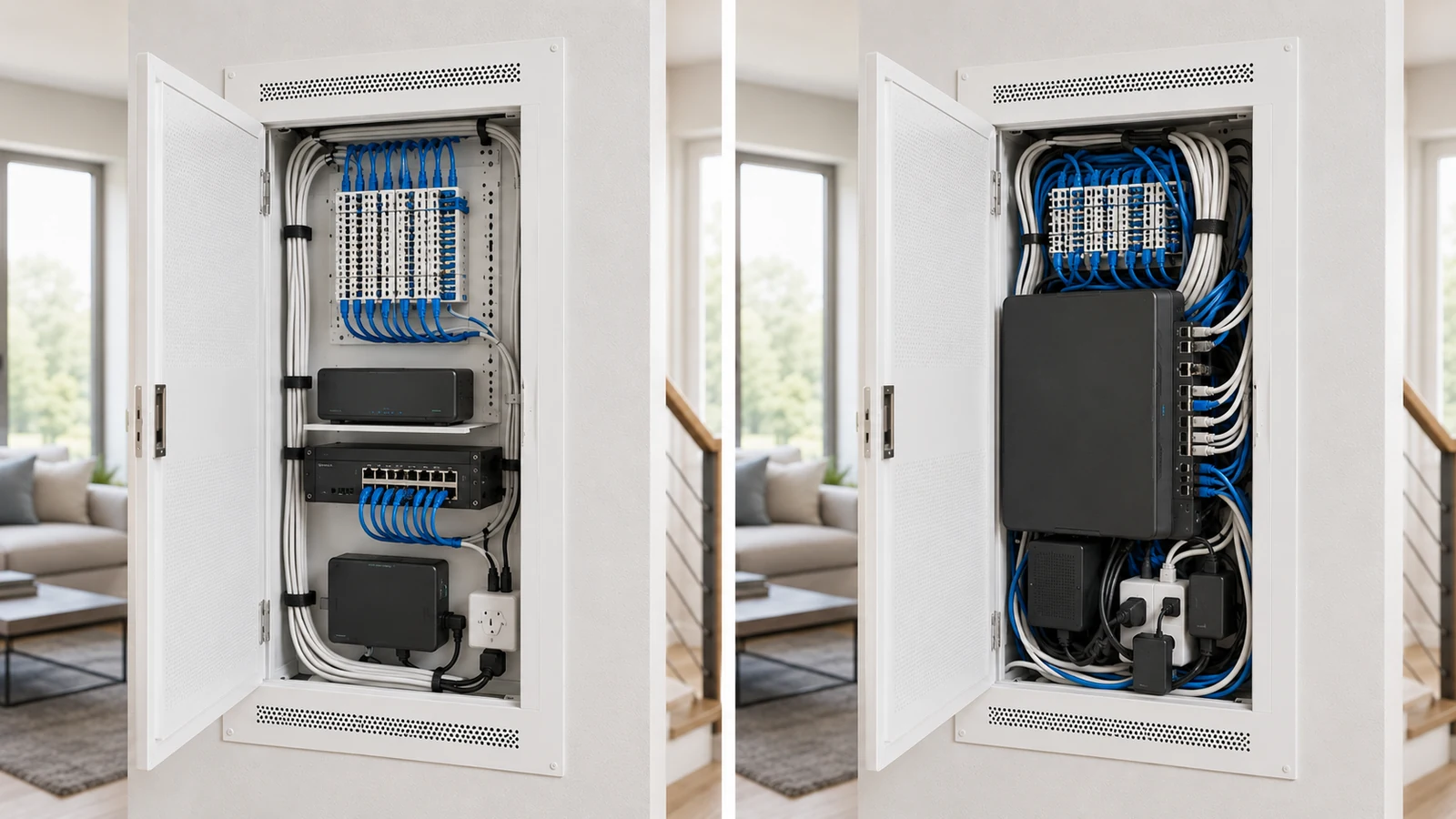
Problems begin when equipment is selected without regard to the panel’s usable depth, mounting options, heat, cable space, and power arrangement.
A panel may become restrictive when the system includes:
- A large multiport PoE switch
- Several external power supplies or PoE injectors
- A deep gateway or firewall appliance
- A video recorder with storage drives
- Network-attached storage
- A substantial UPS
- Numerous patch connections
- Several automation and communications controllers
The published panel dimensions do not equal usable equipment space. Permanent cables need room to enter and bend. Adapters consume outlets. Doors need to close without pressing against connectors. Heat-producing equipment needs air around it.
Overcrowding creates more than an untidy appearance. It can obstruct airflow, stress cable connectors, make labels unreadable, complicate resets and replacement, and encourage improvised mounting.
04 What a Network Rack Adds
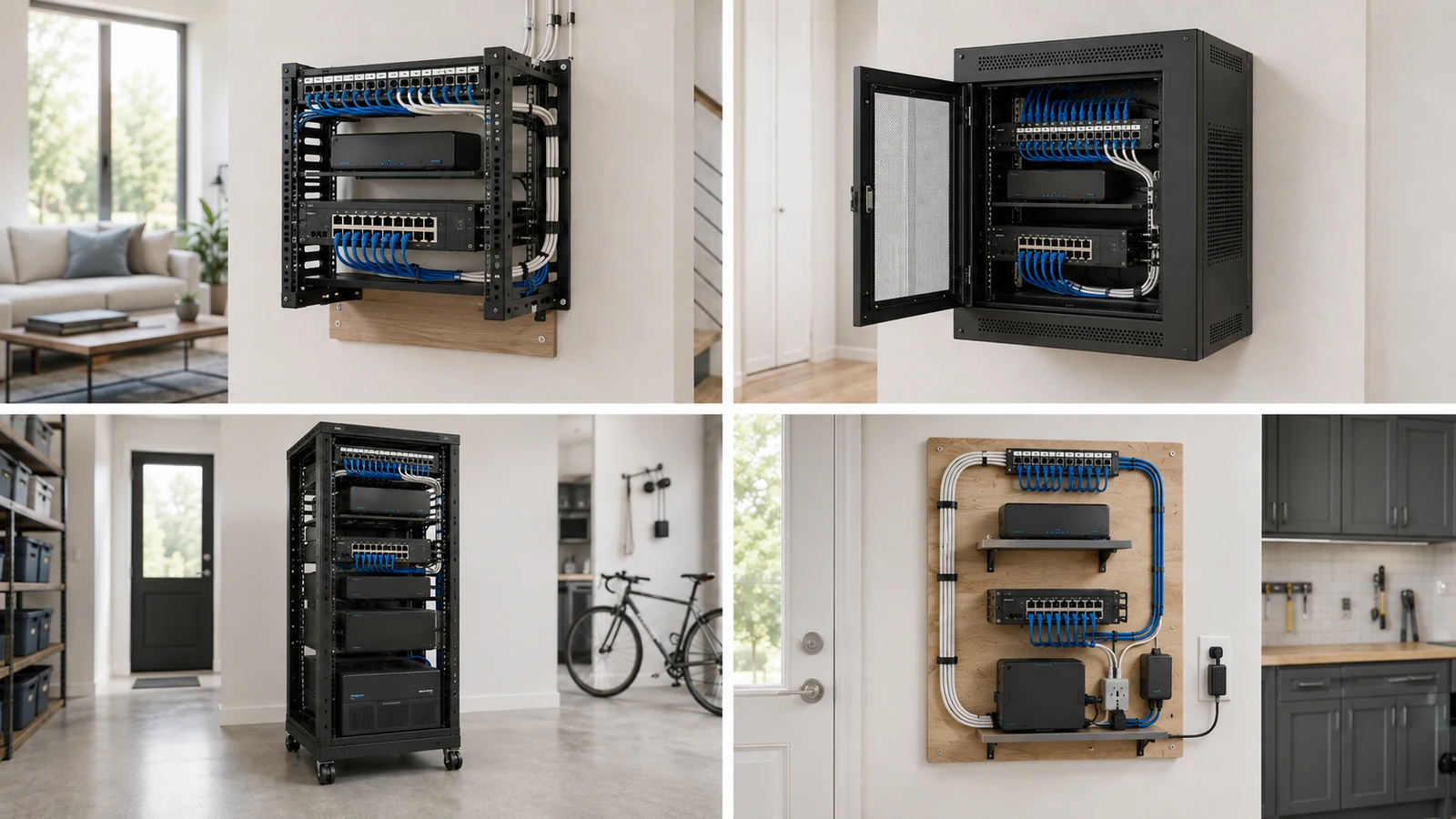
A network rack provides standardized mounting positions for compatible equipment. Residential racks are available as open frames, enclosed wall cabinets, and floor-standing systems with different heights and depths.
A rack may support:
- Rack-mount patch panels
- Network switches
- Gateways and firewalls
- Horizontal and vertical cable management
- Shelves for non-rack-mount devices
- Video recorders and storage equipment
- Rack power distribution
- Battery backup when the rack and mounting structure can support it
Its primary advantages are organization, equipment access, depth options, airflow potential, and growth capacity. Individual components can be removed or replaced without dismantling the entire system.
Racks also introduce requirements. They occupy more physical space, remain more visible, and must be mounted or supported according to their loaded weight. Wall racks need appropriate attachment to framing or another engineered mounting surface. Heavy UPS units, large recorders, and deep equipment may exceed the practical limits of a shallow wall-mounted rack.
Not every residential device includes rack ears. Small gateways, smart-home bridges, ISP equipment, and power supplies may require shelves, mounting trays, or adjacent approved support. Shelves consume vertical space and must be included in capacity planning.
A rack functions best inside a suitable equipment environment. Review the guide to planning a home network closet before assuming that a rack alone solves power, heat, moisture, noise, or access concerns.
05 Choose the Right Type of Rack or Cabinet
“Use a rack” is not a complete recommendation. Different rack designs support different residential conditions.
Open wall-mounted rack: Provides easy access and natural airflow while using no floor space. It works well in a secure closet or utility room where appearance and dust control are secondary. Equipment and cabling remain exposed.
Enclosed wall cabinet: Protects equipment and creates a finished appearance. It may offer removable side panels, a locking door, and fan provisions. Depth, ventilation, wall loading, and rear access must be evaluated carefully.
Floor-standing rack: Supports deeper, heavier, and more extensive equipment. It may be appropriate for camera-heavy properties, network storage, AV integration, multiple switches, or a dedicated technology room. It requires stable floor space and working clearance.
Wall backboard with shelves: Can support a clean, compact installation without standardized rack-mount equipment. This approach must still provide appropriate cable support, electrical arrangements, structural attachment, ventilation, and protection.
The rack’s internal depth must accommodate the deepest component plus connectors, cable bend radius, and door clearance. A switch may physically enter the cabinet while its power cable or uplink cannot bend safely once the door is closed.
06 Compare the Options Directly
| Decision Factor | Structured Wiring Panel | Network Rack or Cabinet |
|---|---|---|
| Primary role | Compact cable termination and support for smaller communications components | Standardized mounting and organization for active equipment, patching, power, and accessories |
| Physical footprint | Shallow and often recessed or flush with the wall | Projects from the wall or occupies floor space |
| Equipment depth | Limited by the enclosure and closed door | Available in multiple depths, but must be matched to the deepest device |
| Cable volume | Works well when terminations and patching remain within designed capacity | Better suited to larger patch panels, cable managers, and numerous connections |
| Heat management | Depends heavily on panel design, loading, and surrounding wall conditions | Offers more airflow options, but enclosed cabinets still require thermal planning |
| Heavy equipment | Generally unsuitable for substantial UPS, storage, or deep recorders | Possible when rack type, mounting surface, shelves, and total load are appropriate |
| Serviceability | Good when lightly loaded; difficult when cables and devices fill the available space | Typically better access to individual components and connections |
| Appearance | Discreet and easily concealed behind a finished door | More visible; an enclosed cabinet offers a cleaner presentation than an open frame |
| Expansion | Limited to remaining panel space, compatible modules, power, and heat capacity | Greater flexibility when unused rack space, depth, power, and cooling remain available |
| Best general fit | Compact structured cabling and modest active-equipment requirements | Deeper, heavier, higher-port, camera-heavy, or more expandable systems |
Neither option wins every category. The panel is more compact and discreet. The rack provides greater mounting flexibility and service access. The correct decision depends on which benefits the project actually needs.
07 Consider a Hybrid Panel-and-Rack Design
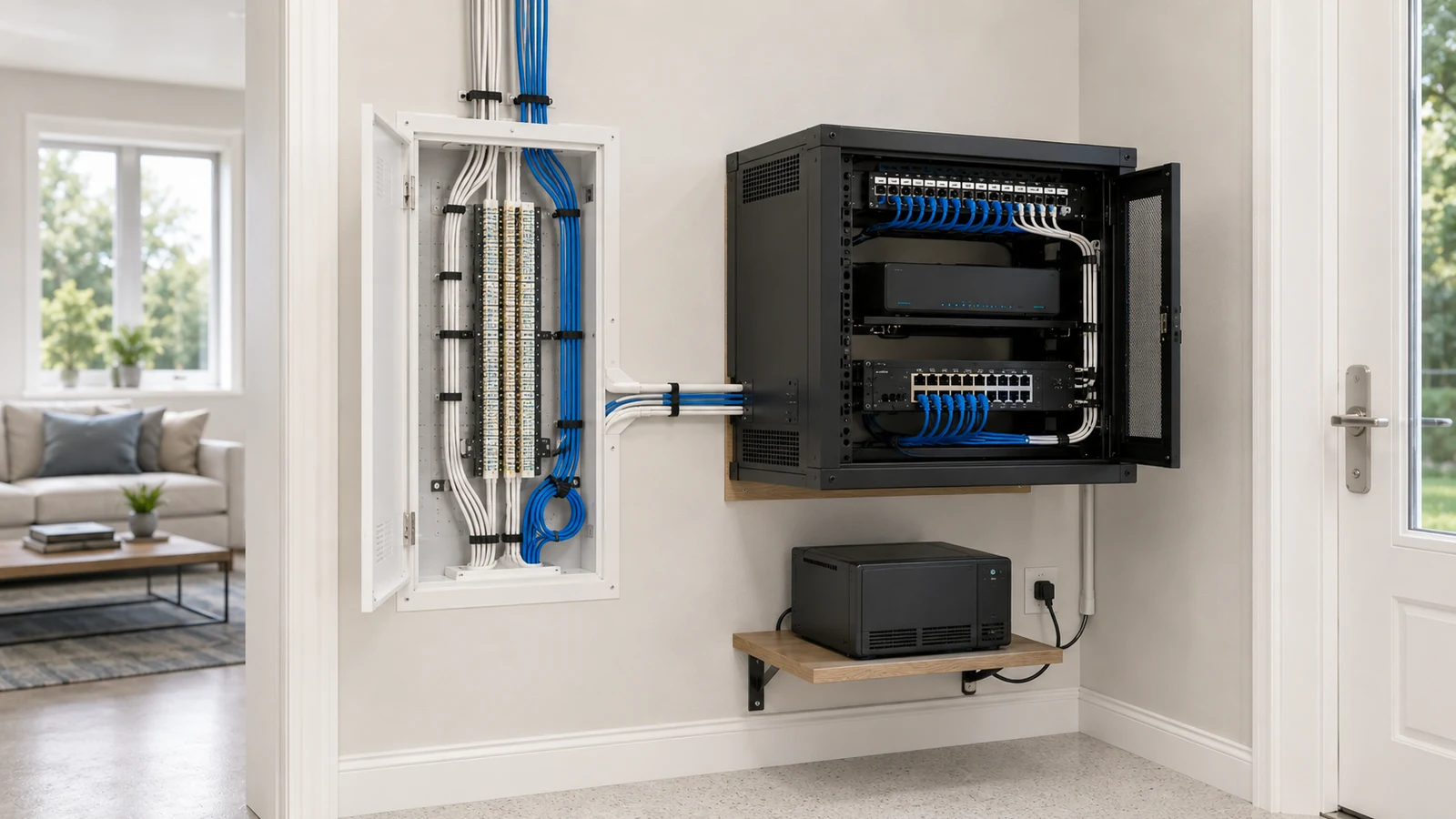
Many existing homes already have permanent Ethernet and coaxial cabling terminating inside a structured panel. Removing and rerouting those cables may provide little benefit. Instead, the panel can remain the building-cable termination point while active equipment moves to a nearby rack or cabinet.
A hybrid design may use:
- The structured panel for incoming service, coaxial distribution, and permanent cable terminations
- A nearby wall rack for the gateway, managed PoE switch, patching, and cable management
- A shelf or floor position for a UPS that is too heavy or deep for the wall rack
- A separate recorder or storage location when heat, noise, or depth requires it
This approach preserves the builder-installed cabling while creating room for modern equipment. Short, organized links connect the panel’s terminations to the rack.
The distance between the two should remain practical. Long exposed patch cords running across a room defeat the organization the hybrid design is intended to create. Plan an appropriate pathway and protect connections from accidental damage.
08 Include Power, PoE, Heat, and Weight in the Decision
An enclosure that fits the switch may still fail the project if it cannot support the electrical and thermal requirements of the finished system.
Evaluate:
- The number of required electrical connections
- The switch’s PoE load and total power consumption
- Heat from the gateway, recorder, drives, power supplies, and UPS
- The available ventilation path
- The weight of the rack, shelves, equipment, and cabling
- Wall construction and mounting support
- Access for battery and equipment replacement
- Clearance around fans and passive ventilation openings
PoE switching can produce more heat as it powers access points, cameras, and other devices. The required port count is only part of switch selection; the available PoE budget and enclosure conditions must also be considered. See how Power over Ethernet works for the complete planning framework.
A heavy UPS should not be placed on an unsuitable wall-mounted shelf merely to keep every component in the rack. Floor placement beneath or near the rack may be more appropriate when it is protected, ventilated, serviceable, and installed according to requirements.
Enclosed cabinets do not automatically provide good cooling. Doors and side panels improve protection and appearance but can restrict airflow. If fans are added, they should create a defined intake and exhaust path rather than circulate warm air inside the cabinet.
09 Avoid the Most Common Selection Mistakes
Choosing by rack units alone: Height does not reveal usable depth, load capacity, rear clearance, or space consumed by shelves and cable management.
Forcing active equipment into the builder panel: A panel that terminates cables beautifully may not be suitable for a large PoE switch, recorder, and several power adapters.
Buying an oversized floor rack without a need: More capacity also means more room, cost, and visual impact. Residential equipment does not become more reliable merely because it occupies a large cabinet.
Ignoring non-rack-mount devices: ISP equipment, compact gateways, automation bridges, and power supplies need secure shelves or mounting provisions.
Underestimating weight: Loaded racks, UPS units, recorders, and storage equipment require appropriate structural support.
Ignoring cable entry: The enclosure must align with the actual pathways from walls, ceilings, attics, floors, and structured panels.
Leaving no service access: A rack squeezed tightly between walls may make rear connections, side panels, fans, and equipment replacement inaccessible.
Assuming the enclosure solves the room: A premium rack installed in a hot, wet, dusty, or obstructed space remains a poor equipment environment.
Rack or Structured Panel Decision Checklist
- Count every permanent cable and planned patch-panel connection.
- Measure the width, height, depth, and weight of all active equipment.
- Include connectors, cable bend radius, power supplies, shelves, and patch cords.
- Document current and realistic future switch-port requirements.
- Calculate PoE demand and consider the resulting heat.
- Determine whether recorders, storage, audio, or battery equipment need separate support.
- Confirm the enclosure’s usable depth—not only its external dimensions.
- Review wall construction, mounting hardware, and total loaded weight.
- Plan cable entry from the actual home-run pathways.
- Provide access for equipment, fan, drive, and battery replacement.
- Choose open or enclosed construction according to security, dust, appearance, and cooling needs.
- Consider a hybrid design before abandoning existing structured cabling.
- Leave reasonable patching, power, ventilation, and equipment capacity for growth.
- Confirm that the surrounding room is suitable for continuously operating technology.
The best enclosure is the smallest system that can support the equipment cleanly, safely, and maintainably—with enough capacity for likely future changes.
A structured panel may be all a compact home network needs. A wall-mounted rack may provide the right balance for multiple access points, cameras, and organized PoE switching. A floor rack may be justified when the system includes deeper, heavier, or more extensive equipment. A hybrid design may preserve existing cabling while creating a better home for active devices.
Choose according to capacity, depth, heat, weight, access, and growth—not according to which option looks more impressive.