
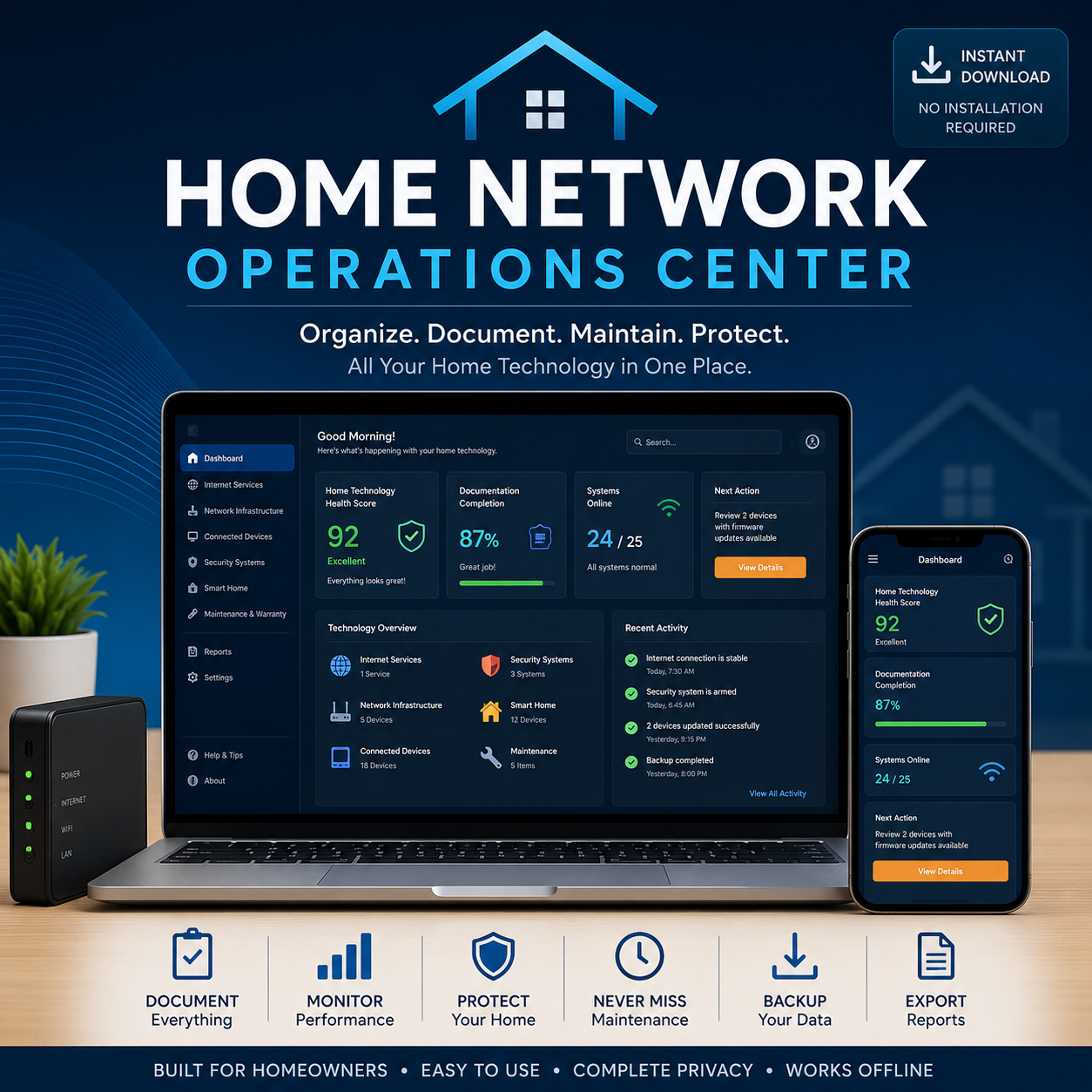
HOME NETWORK OPERATIONS CENTER
Your Home Technology, Organized in One Private Place
The Home Network Operations Center is a private, browser-based application that gives homeowners one structured place to document and manage the technology their home depends on.
It works locally without requiring a cloud account or subscription, bringing internet services, network infrastructure, connected devices, security systems, smart-home technology, maintenance records, warranties, reports, and next actions into one consistent system.
Guided setup for a structured first-time experience
Six integrated home-technology operations modules
Dashboard health score and recommended next action
Global search, quick entry, and organized records
Professional PDF summaries and individual reports
Local backup, restore, import, and export controls
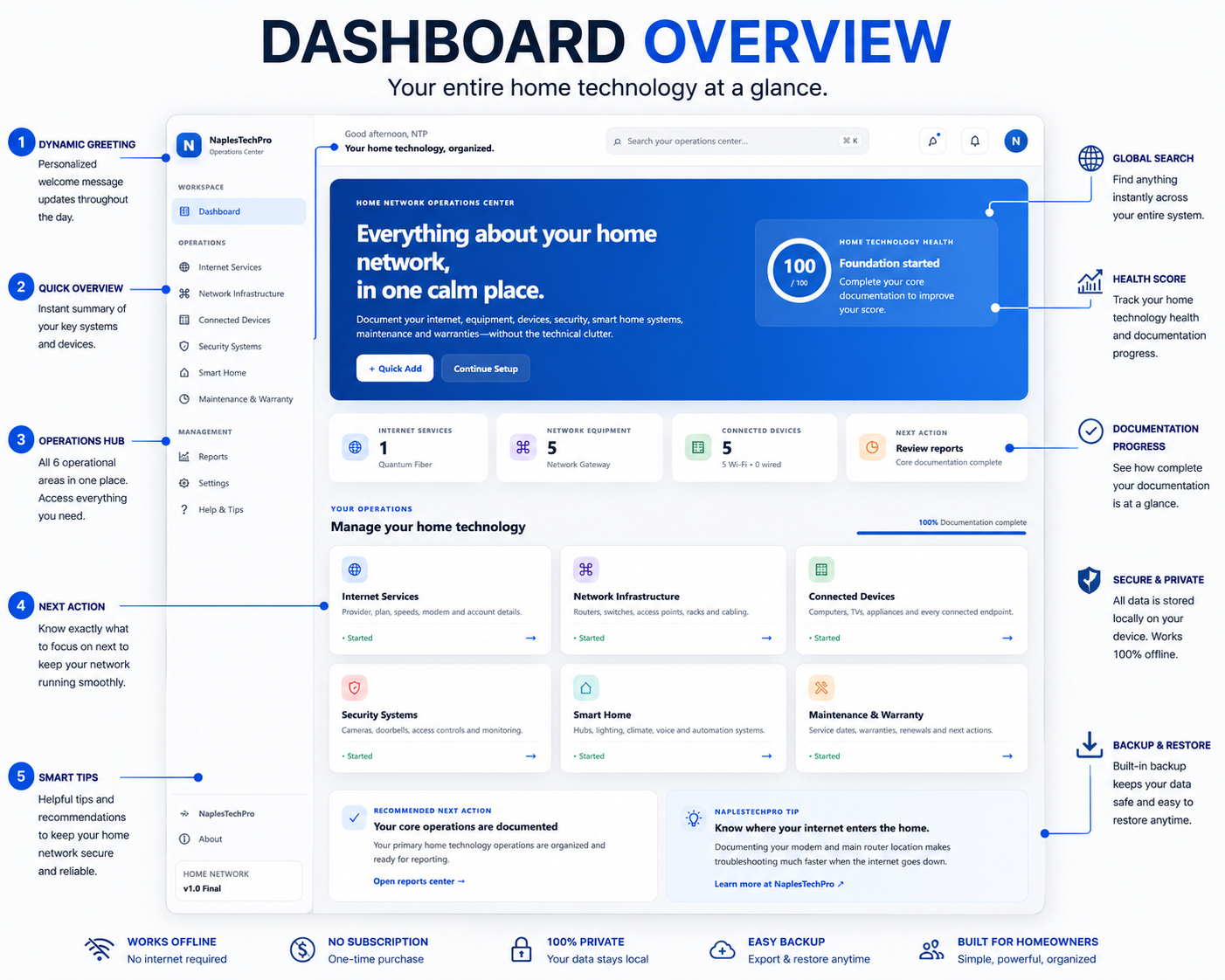
DASHBOARD OVERVIEW
See what is documented, what needs attention, and what to do next
The dashboard summarizes the information you record throughout the Operations Center. It brings module totals, documentation progress, attention items, and the recommended next action into one clear starting point.
Global Search and Quick Add help you find or enter information without navigating through every module, while the Health Score provides an organizational indicator based on the completeness and status of your saved records.
At-a-glance operational summary
Documentation progress and attention items
Global Search and Quick Add
Recommended next action
The dashboard organizes and summarizes saved information. It does not perform live network monitoring, automatically scan devices, or directly control equipment.
SIX INTEGRATED MODULES
Everything about your home technology, organized in one place
The Home Network Operations Center separates information into six connected operational areas. Each module provides a consistent place to document systems, review important details, track status, and generate focused reports.
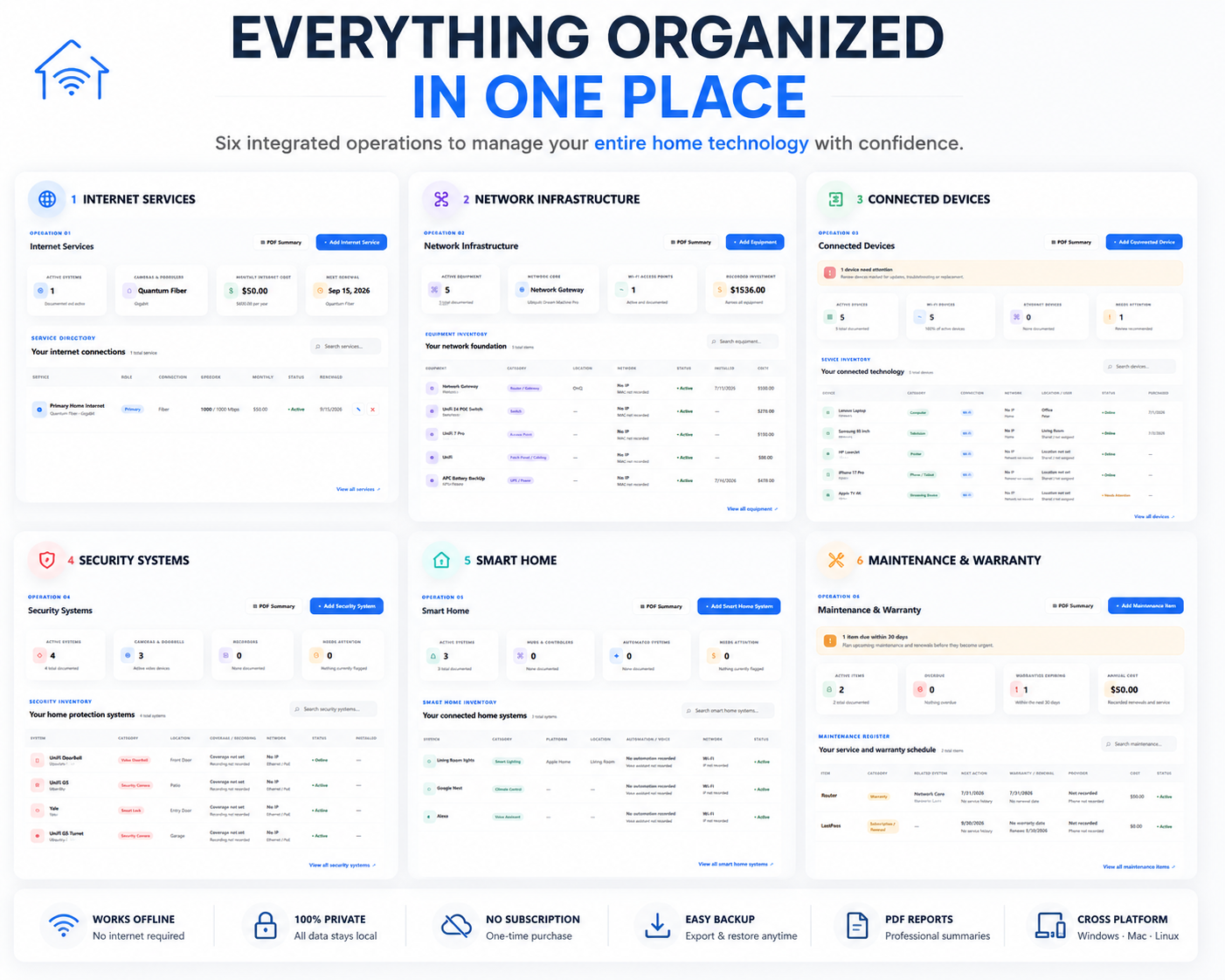
Internet Services
Track providers, plans, speeds, modem information, billing details, renewal dates, and support contacts.
Network Infrastructure
Document routers, switches, access points, racks, cabling, installation details, status, and equipment costs.
Connected Devices
Maintain an inventory of computers, televisions, phones, appliances, users, connections, and assigned networks.
Security Systems
Organize cameras, doorbells, alarms, access controls, recorders, coverage information, and monitoring details.
Smart Home
Record hubs, lighting, climate systems, assistants, platforms, automation details, and connected services.
Maintenance & Warranty
Track service history, upcoming maintenance, warranties, renewals, costs, providers, and required next actions.
REPORTS & DATA CONTROL
Use your records and preserve your information
Organized records become more useful when they can be summarized, reviewed, shared appropriately, and backed up outside the application.
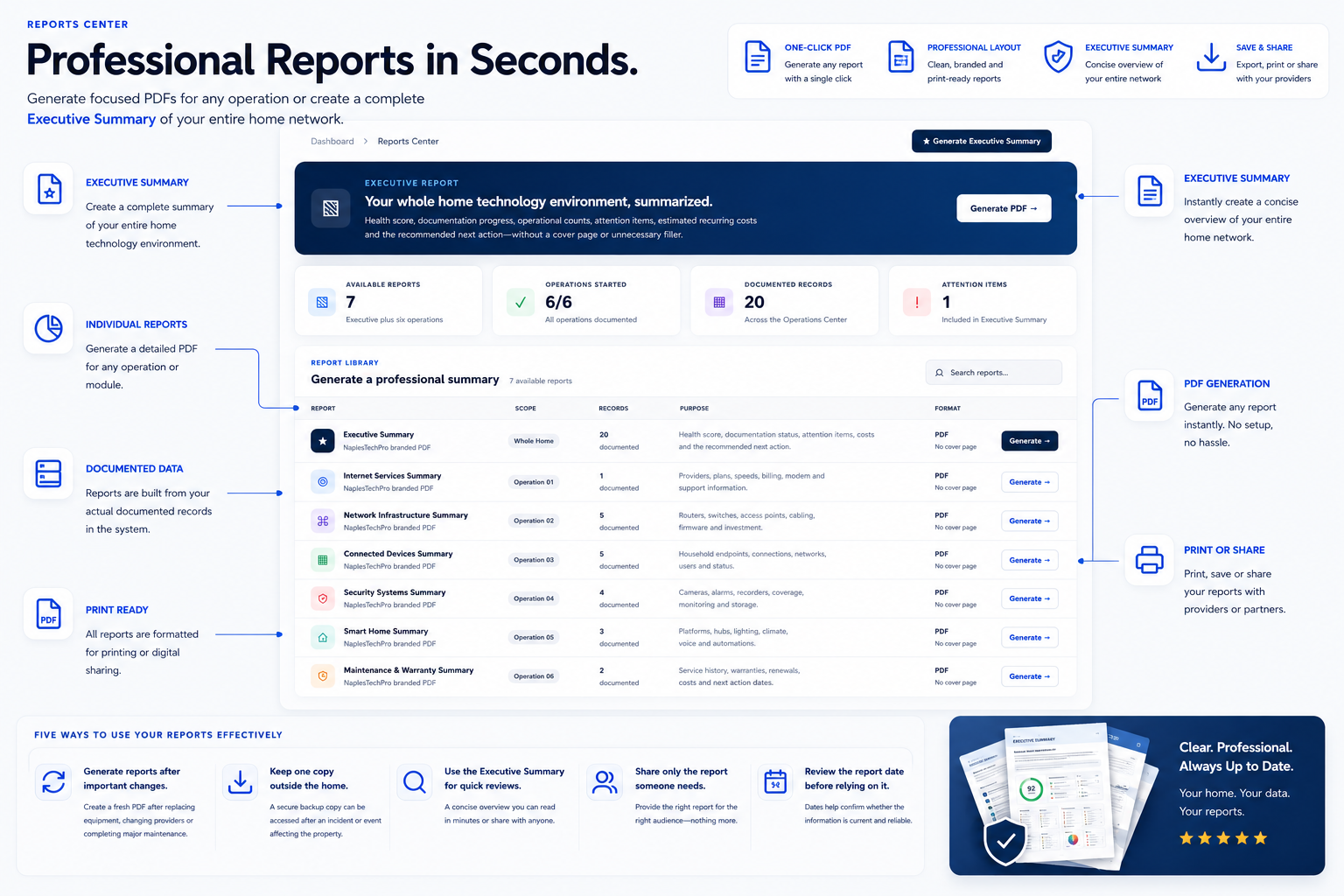
Professional summaries generated from your records
The Reports Center turns documented information into focused summaries. Generate a complete Executive Summary or create an individual report for any of the six operational modules.
Executive Summary of the complete environment
Individual reports for all six modules
Print-ready layouts
Save, print, or share when appropriate
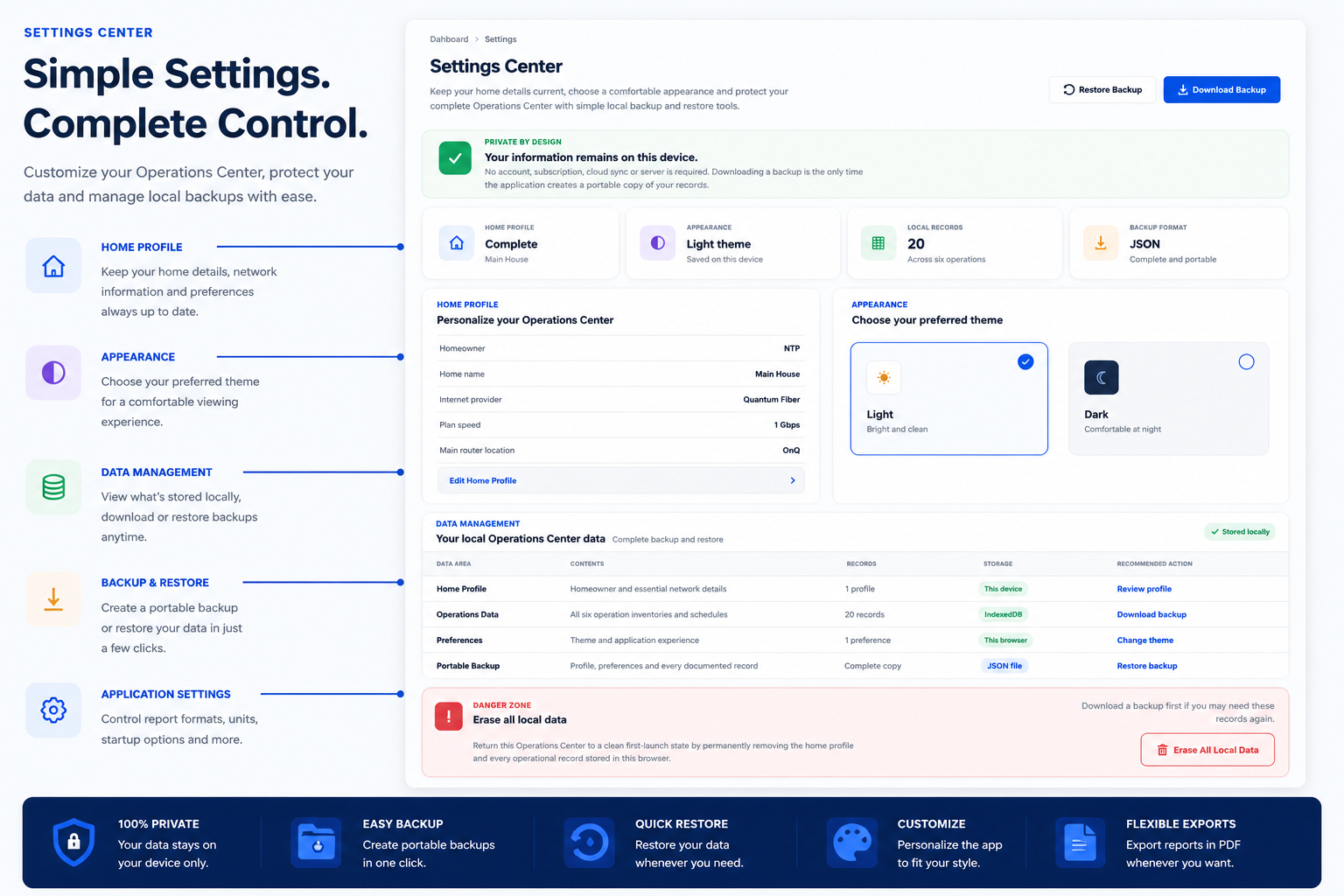
Backup, restore, and manage your local data
The Settings Center shows what is stored locally and provides the controls needed to preserve or restore your Operations Center records. Portable backups help protect against browser resets, device problems, or accidental loss.
Download a portable local backup
Restore previously saved records
Review locally stored information
Personalize appearance and application preferences
LOCAL-FIRST APPLICATION
Your home technology records stay under your control
The Home Network Operations Center runs locally in a modern web browser. Once downloaded, normal use does not require an internet connection, cloud account, or recurring subscription.
Local Storage
Your records remain in the browser and device where you use the Operations Center instead of being automatically uploaded to an external account.
Offline Operation
After downloading the application, normal organization, searching, editing, and reporting can continue without an active internet connection.
No Subscription
Operations Centers are designed as one-time purchases. Core functionality does not depend on an active membership or recurring service fee.
Portable Backups
You can create a local backup of your information and restore it when needed, helping you preserve your records and move them responsibly.
Local storage does not replace device security. Protect access to the computer, browser profile, application files, and exported backups where your Operations Center information is stored.
NaplesTechPro cannot recover locally stored records or passwords because the application does not maintain a cloud account or remote copy of your data.
DESIGNED FOR HOMEOWNERS
Useful whether you are technical or simply want things organized
The Home Network Operations Center is designed for homeowners who want clearer records, better maintenance awareness, and a more complete understanding of the technology throughout their home.
Everyday Homeowners
Keep internet accounts, equipment details, connected devices, security systems, smart-home technology, and maintenance information in one understandable place.
Hands-On Technology Owners
Document network infrastructure, device assignments, system status, installation details, costs, warranties, and other technical information without relying on scattered notes.
Households Planning Ahead
Preserve information for upgrades, service visits, provider changes, equipment replacement, troubleshooting, or sharing responsibilities with another trusted person.
No networking certification, cloud setup, database knowledge, or software installation experience is required. The included setup guidance walks users through the application step by step.
FREQUENTLY ASKED QUESTIONS
What to know before getting started
The Home Network Operations Center is intentionally different from a cloud service or traditional installed program. These answers explain how it works and what users are responsible for protecting.
What exactly do I receive?
You receive a digital, browser-based Home Network Operations Center and the supporting instructions included with the Etsy download. No physical product is shipped.
Does it require software installation?
No traditional software installation is required. Follow the included setup instructions and open the application locally in a supported modern web browser.
Does it require an internet connection?
An internet connection is not required for normal use after the application files have been downloaded. Your browser runs the Operations Center locally.
Where is my information stored?
Records are stored locally in the browser and device where you use the application. NaplesTechPro does not receive, synchronize, or maintain a remote copy of your Operations Center data.
Does it automatically scan or monitor my network?
No. The application organizes and summarizes the information you enter. It does not automatically discover devices, test network performance, monitor availability, or control equipment.
What happens if browser data is cleared?
Clearing browser storage, resetting the browser profile, replacing the device, or deleting required application data may remove locally stored records. Create portable backups regularly and keep them in a protected location.
Can I move my records to another device?
The built-in backup and restore functions allow you to create a portable copy of your records and restore them in a compatible application environment. There is no automatic synchronization between devices.
Should I store passwords in the Operations Center?
The Operations Center is not a password manager or encrypted credential vault. Sensitive passwords, recovery codes, and private encryption keys should remain in a reputable password manager or another appropriately secured system.
Which computers can run it?
The application is designed for modern browsers on Windows, macOS, and Linux. Browser behavior and local-storage availability can vary, so follow the included setup and backup instructions.
Is there a recurring subscription?
No. The Home Network Operations Center is offered as a one-time digital purchase through Etsy. Its core local functionality does not require a recurring subscription.
READY TO GET ORGANIZED?
Bring your home technology into one private Operations Center
Get the Home Network Operations Center as a one-time digital purchase through Etsy. Download it, follow the included setup guidance, and begin organizing your home technology at your own pace.
Digital download • One-time purchase • No subscription • Works offline