
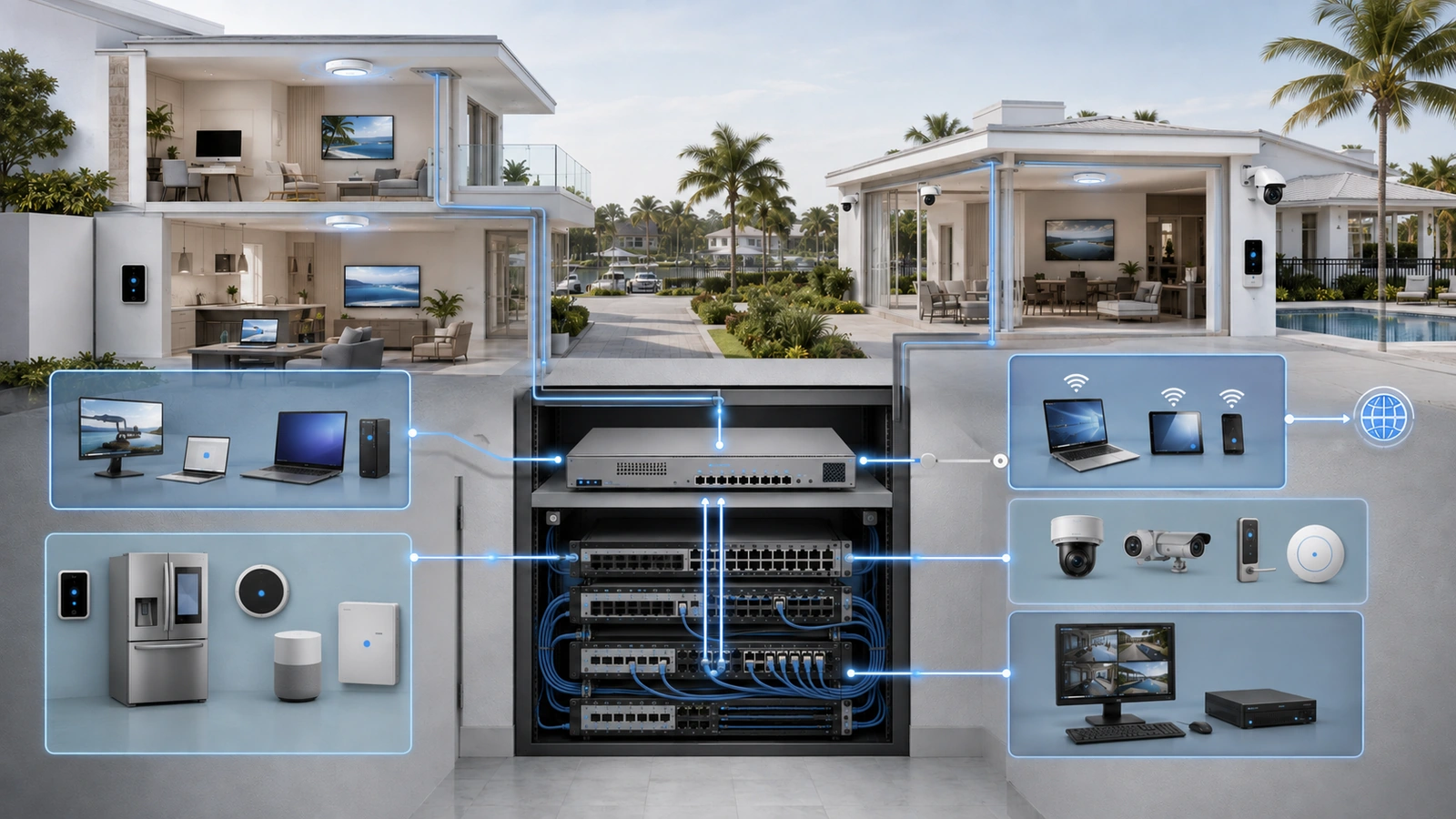
Network segmentation creates boundaries between trusted users, guests, connected devices, security systems, and administrative interfaces. Firewall rules determine what may cross those boundaries.
Without deliberate firewall policy, VLANs may organize traffic without meaningfully restricting it. With an unnecessarily complicated policy, required systems may fail and future administrators may respond by creating broad exceptions.
The goal is therefore not the greatest possible number of rules. It is a small, understandable policy that allows documented services, blocks unnecessary communication, protects management access, and can be tested and maintained.
01 What a Firewall Rule Evaluates
A firewall evaluates network traffic against configured policy. Depending on the platform, a rule may consider:
- Source device, address, subnet, or security zone
- Destination device, address, subnet, or security zone
- Protocol and service port
- Traffic direction
- Application or destination category
- User, device, schedule, or connection state
- The required action, such as allow, reject, or drop
In a segmented property, the firewall commonly controls communication among VLANs and between those VLANs and the internet. It may also protect remote-access services and administrative interfaces.
The policy should reflect the purpose of each zone. Guest users may need internet access but no local access. Cameras may need a recorder, time service, and selected update destinations. Administrators may need management interfaces, while ordinary users do not.
The firewall turns these requirements into enforceable traffic paths.
02 Use Default Deny as a Policy Objective
Default deny means that communication is not permitted across a protected boundary unless a rule or established system behavior allows it.
This is more dependable than allowing broad access and attempting to identify every unwanted connection later. The design question becomes:
Which communication is required for this system to operate?
That does not mean immediately blocking all traffic in a working property. Existing environments may contain undocumented dependencies. A safer implementation process inventories systems, observes current communication, defines required services, introduces restrictions in stages, and validates each change.
Default deny also operates within context. A trusted residential network may be permitted broad outbound internet access, while a camera network may receive only the services required by its platform. A public guest zone should generally have no access to internal property networks.
The objective is least privilege: provide enough access for the intended function without providing unnecessary reach.
03 Understand Stateful Firewall Behavior
Most modern property firewalls are stateful. They track approved connections and permit the corresponding response traffic.
Suppose a trusted phone is allowed to initiate a connection to a television in the IoT zone. The firewall permits that new session and recognizes the television’s response as return traffic belonging to the approved connection.
This does not mean the television can initiate unrelated connections to every trusted device. A separate policy can block new IoT-to-Private sessions while allowing stateful responses to approved Private-to-IoT connections.
This distinction prevents a common rule-design mistake. “Established and related” traffic normally handles responses after an initial session has been permitted. It does not, by itself, authorize the first trusted-to-IoT connection.
Some applications open multiple dynamic connections or depend on discovery services. Those requirements should be tested rather than addressed with an unrestricted allow rule.
04 Build Policy Around Trust Zones
A practical residential design may contain Private, Guest, IoT, and Management zones. Community properties may add Staff, Surveillance, Access Control, Building Operations, Resident Services, or Vendor zones.
| Traffic Path | Typical Objective | Important Qualification |
|---|---|---|
| Guest to internal zones | Block | Allow only intentionally provided guest services |
| Private to IoT | Allow selected user-initiated functions | Include stateful return traffic and required discovery |
| IoT to Private | Block new connections by default | Add narrow exceptions for documented controllers or services |
| Authorized admin to Management | Allow approved protocols | Restrict source devices, accounts, and remote paths |
| General users to Management | Block | Protect both device interfaces and management platforms |
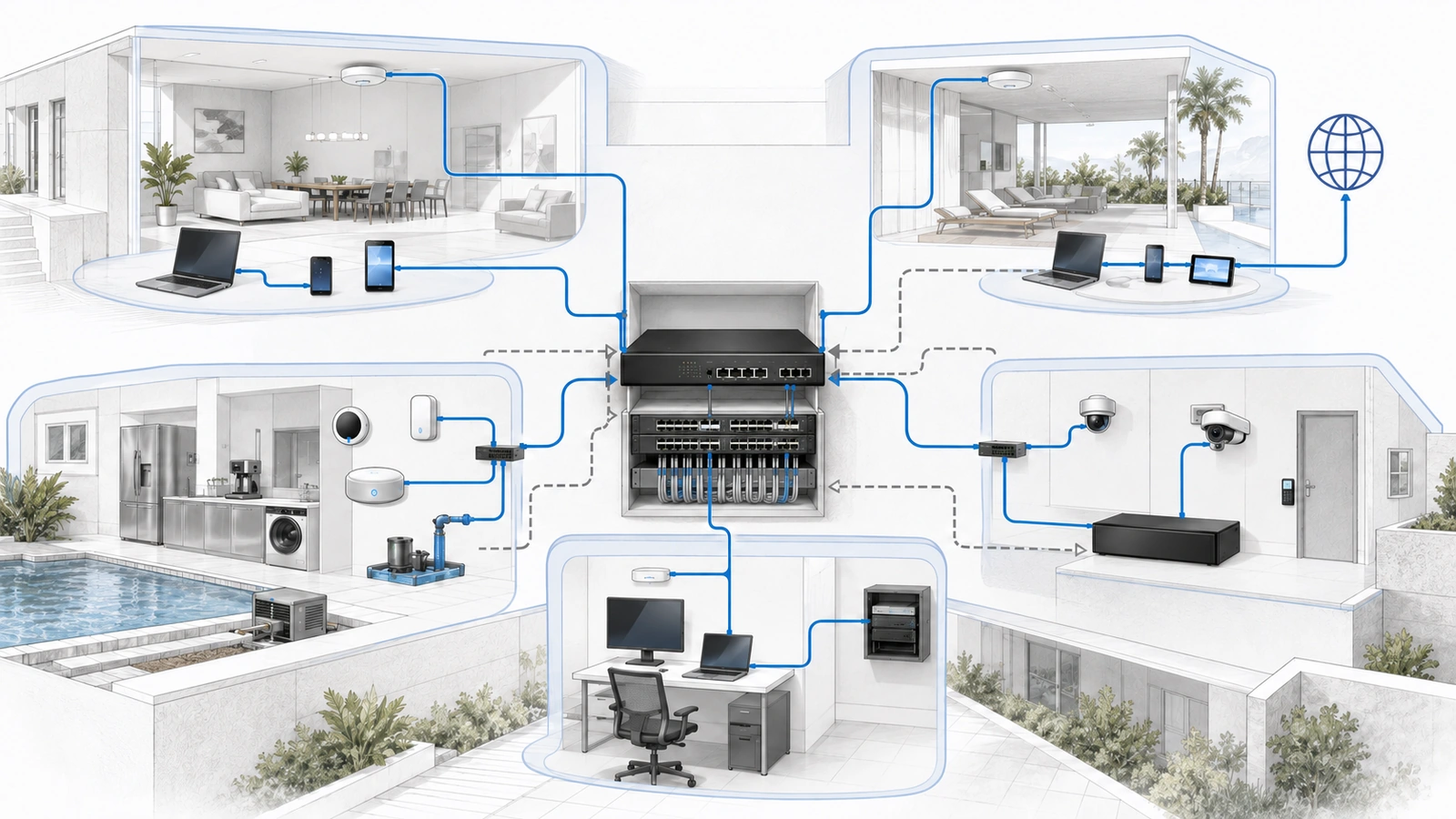
These are policy examples rather than rules to copy without review. The correct configuration depends on the applications, equipment, ownership, and consequences within the property.
Infrastructure services must also be considered. Devices commonly require DHCP, DNS, and NTP. Some systems need local controllers, authentication services, recorders, update servers, or approved cloud platforms.
05 Control Internet Access in Both Directions
Firewall planning should distinguish outbound connections initiated from the property from inbound connections initiated from the internet.
Outbound access
Trusted user networks may require general web, communications, application, and update access. Operational devices may need a smaller set of services.
Not every connected device requires unrestricted outbound communication. A locally recorded camera system may need accurate time and updates but not continuous access to arbitrary destinations. A cloud-managed device may require specific vendor services that should be identified before applying tight restrictions.
Outbound controls can include approved DNS services, content or reputation filtering, application controls, destination restrictions, schedules, and logging. The appropriate level depends on the property’s risk and ability to maintain the policy.
Inbound exposure
Unsolicited inbound access should be limited and deliberate. Common exposure risks include:
- Port forwarding to cameras, recorders, or automation systems
- Internet-accessible firewall or controller administration
- Permanent vendor remote-support tools
- Legacy services using weak or unencrypted protocols
- Public services that are no longer required
Where remote access is necessary, prefer an authenticated and encrypted method such as a properly configured VPN or managed access platform. Apply multifactor authentication where supported and restrict users to the systems they are authorized to manage.
Cloud-managed equipment still requires scrutiny. The absence of a conventional inbound port-forwarding rule does not eliminate account, session, vendor-platform, or remote-administration risk.
06 NAT Is Not the Security Policy
Network address translation changes addressing as traffic crosses a boundary. It is commonly used when private IPv4 networks access the public internet.
NAT and firewall policy are related in many gateways, but they perform different functions. NAT translates addresses. Firewall rules determine whether communication is permitted.
Private addressing does not make an internal system trustworthy. Two private subnets may communicate freely if routing and policy allow it. Similarly, creating a port-forwarding translation does not determine whether the exposed service is safe.
This distinction becomes even more important with IPv6, where devices may receive globally routable addresses without traditional IPv4-style NAT.
If IPv6 is enabled or provided by the internet service, apply equivalent firewall intent to every trust zone. Do not build a careful IPv4 policy while leaving unintended IPv6 paths open.
07 Protect the Management Plane
The management plane includes the interfaces used to configure the firewall, switches, access points, controllers, cameras, access-control platforms, and other operational systems.
Management access should normally be permitted only from approved administrator devices or controlled administrative paths.
Useful controls include:
- A dedicated management zone
- Restricted source devices or administrative subnets
- Unique administrator identities
- Multifactor authentication
- Encrypted management protocols
- Limited remote administration
- Configuration and activity logging
- Documented emergency-access procedures
Do not assume that placing infrastructure in a Management VLAN protects it automatically. The gateway must also restrict who can route into that VLAN, and switch and wireless configurations must prevent unintended membership.
08 Make Vendor Access Temporary and Specific
Community properties frequently depend on third parties for gates, cameras, elevators, building controls, pool systems, audio, or managed network services.
Vendor access should be based on the system being supported rather than access to the entire property network.
A controlled arrangement may include:
- An individual vendor identity rather than a shared generic account
- Multifactor authentication where supported
- Access to specific systems and services only
- Time-limited or approval-based access windows
- Logging of successful and failed access
- A documented owner within the property organization
- Immediate revocation when the relationship ends
Source-IP restrictions can be useful when the vendor has a dependable address range, but they should not replace authentication. A dedicated vendor VLAN can limit locally connected contractor devices, but it must still receive an appropriate firewall policy.
Permanent unrestricted remote access is convenient until credentials, personnel, ownership, or vendor security practices change. The access method should remain visible and revocable.
09 Organize Rules So They Can Be Understood
Firewall platforms do not all evaluate policies in exactly the same way. Some process ordered lists from top to bottom. Others use zones, objects, policy groups, platform-generated rules, or multiple stages of evaluation.
Understand the behavior of the installed platform before assuming that moving one rule will produce the expected result.
Useful organizational practices include:
- Use descriptive names that explain the traffic path.
- Group rules consistently by zone pair or function.
- Place specific exceptions before broader policies where order applies.
- Avoid duplicate and overlapping rules.
- Record the reason, owner, and review date for exceptions.
- Disable or remove obsolete temporary rules.
- Use address and service groups carefully to reduce repetition.
A name such as “Allow Private to Living Room Casting” is more useful than “Rule 27.” Comments should identify the application, responsible party, and reason the exception exists.
Rule objects and groups can improve consistency, but overly broad groups can create unexpected access. Changes to a shared object should be reviewed for every policy that uses it.
10 Log What Someone Can Realistically Review
Logging provides evidence for troubleshooting, security review, and incident investigation. Enabling every possible event without adequate storage or review, however, can create noise that hides significant activity.
Prioritize logs that support a defined purpose, such as:
- Blocked attempts to reach management systems
- Unexpected communication between critical zones
- Inbound connection attempts to exposed services
- Successful and failed remote-administration sessions
- Firewall configuration and administrator changes
- Repeated failures involving an operational system
High-volume expected denials may need summarization, filtering, or rate limits. Logging should not overwhelm firewall storage or create avoidable performance problems.
Community properties should define who reviews important events, how long relevant records are retained, and what conditions require escalation.
11 Test Both Allowed and Denied Traffic
A policy is not validated solely because required internet access works. Testing must confirm that intended restrictions also work.
Firewall Policy Test Checklist
- Verify DHCP, DNS, and time services in every zone.
- Confirm required internet and cloud services.
- Test approved cross-zone applications from representative devices.
- Confirm that prohibited internal destinations cannot be reached.
- Test protection of firewall, switch, controller, and access-point interfaces.
- Validate guest-to-guest isolation where required.
- Test approved remote and vendor-access paths.
- Verify equivalent IPv4 and IPv6 behavior.
- Confirm that important events appear in the expected logs.
- Record the results and unresolved exceptions.
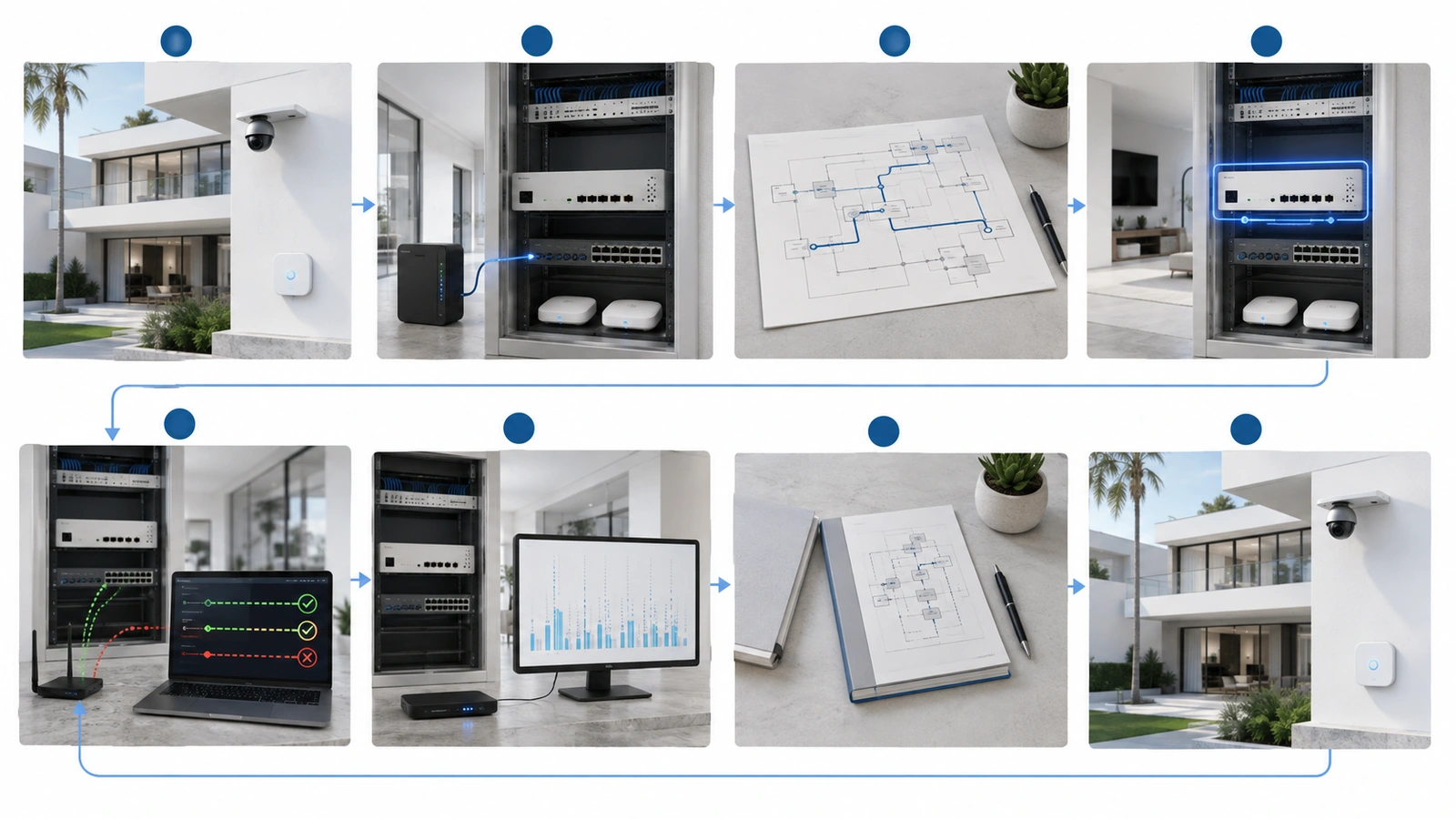
Testing should use actual client devices where possible. A firewall’s rule display or simulation tool may be helpful, but it cannot reproduce every application dependency, discovery behavior, or endpoint configuration.
Where changes affect cameras, gates, access control, life-safety integrations, payment systems, or other important operations, coordinate testing with the responsible stakeholders and maintain a rollback path.
12 Use a Controlled Change Process
Even a small property benefits from a simple firewall change process.
Before modifying policy:
- Document the reason for the change.
- Identify the affected zones, systems, and responsible owner.
- Back up the current working configuration.
- Define the expected allowed and denied behavior.
- Plan a rollback method.
- Implement the narrowest suitable change.
- Test the expected behavior.
- Review logs for unexpected effects.
- Update the documentation.
Temporary diagnostic rules should include an owner and expiration or review date. An “allow any” rule created during troubleshooting should never become an undocumented permanent solution.
Periodic reviews should identify unused policies, obsolete vendor access, duplicate objects, unnecessary internet exposure, and rules that no longer match the property’s current systems.
Final Perspective
Firewall rules turn network boundaries into enforceable policy. They should permit the communication required by trusted users and operational systems while restricting unnecessary access among guests, connected devices, security platforms, management interfaces, vendors, and the internet.
Default deny provides a strong policy direction, but it must be implemented with an understanding of existing dependencies. Stateful inspection handles responses to approved connections, while explicit rules authorize the initial traffic. NAT changes addressing but does not replace access control. IPv6 requires equivalent protection.
The most dependable firewall policy is not necessarily the most granular one. It is the policy that clearly expresses the property’s trust model, protects critical interfaces, limits remote exposure, produces useful visibility, and can be tested and understood by the people responsible for it.
Security is strongest when the rules are intentional, documented, supportable, and regularly reviewed.