
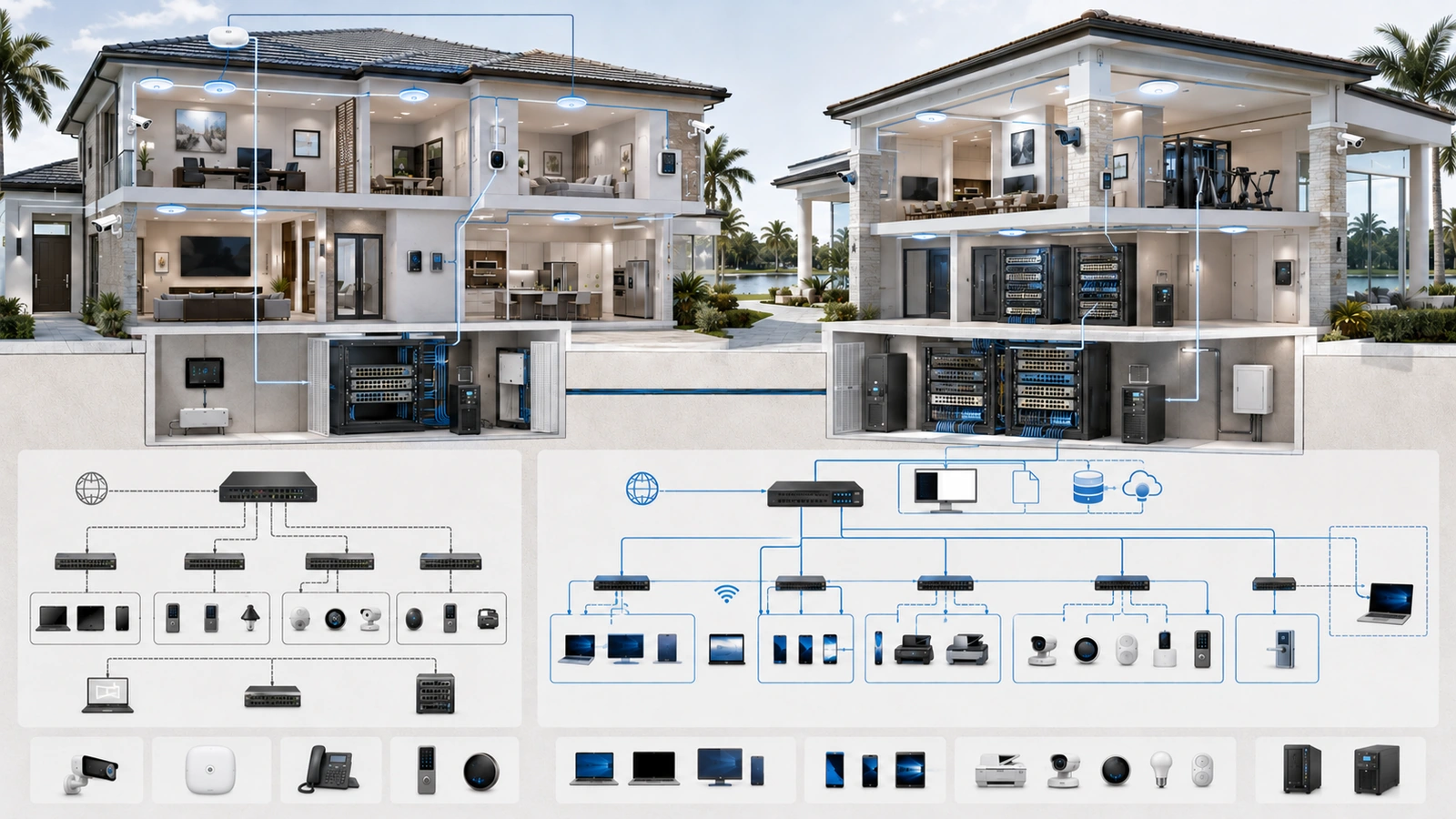
Network-security weaknesses in homes and community properties are often created by ordinary decisions: every device is placed on one network, a vendor receives permanent access, an old router remains in service, or nobody records how the system is configured.
These conditions may remain unnoticed while the internet and Wi-Fi continue working. The problem becomes visible when equipment fails, credentials are compromised, vendors change, an operational system stops responding, or unauthorized traffic reaches something it should never have been able to access.
Effective security does not require turning every residence or clubhouse into an enterprise data center. It requires proportional boundaries, secure administration, current equipment, controlled access, usable documentation, recoverable configurations, and clearly assigned ownership.
01 Mistake: Keeping Unrelated Systems on One Flat Network
A flat network allows connected devices to communicate locally without passing through a meaningful routed security boundary. This can be acceptable in a small, trusted environment, but risk increases when the property adds guests, connected appliances, cameras, access control, staff systems, vendors, or network-management interfaces.
The problem is not flatness by itself. The problem is unnecessary communication among systems with different trust levels or consequences.
In a community clubhouse, public Wi-Fi users should not share unrestricted access with office computers, cameras, gate systems, or network equipment. In a connected home, smart appliances may not need to initiate connections to work computers or private storage.
Practical correction
Identify the property’s meaningful trust zones and begin with the smallest appropriate structure. This may include Private, Guest, IoT or Operational, Security, and Management networks.
VLANs can create logical boundaries, but firewall policy must control routed communication between them. Test both required access and intended restrictions.
02 Mistake: Treating a Guest Wi-Fi Name as Proof of Isolation
Creating a second wireless name does not automatically prove that guests are separated. Two SSIDs can still place devices in the same network if the underlying configuration does not provide a different interface, VLAN, subnet, isolation control, or firewall policy.
A guest network should generally provide internet connectivity while blocking private, operational, security, and management destinations. Community environments may also require client-to-client isolation so unrelated guests cannot communicate directly.
Practical correction
Connect a representative guest device and verify that it cannot reach:
- Private IP addresses
- Router and firewall administration
- Switches, access points, and controllers
- Printers, storage, and office systems
- Cameras, recorders, and access control
- Other guest devices when client isolation is required
Test IPv4 and IPv6 behavior where both protocols are available. Do not rely only on a setting name or controller diagram.
03 Mistake: Giving Connected Devices Too Much Access
Televisions, thermostats, voice assistants, lighting products, doorbells, appliances, cameras, and automation systems may depend on cloud services, receive inconsistent updates, or provide limited security controls.
Placing them alongside trusted computers is not always appropriate. However, moving every connected device into isolation without understanding its dependencies can also break controllers, casting, printing, camera viewing, and automation.
Practical correction
Place suitable connected devices in an IoT or Operational zone and document what they require. Common dependencies include:
- DHCP, DNS, and accurate time
- Approved internet or vendor-cloud services
- Local controllers, hubs, or recorders
- Trusted user access to selected device services
- Multicast or mDNS discovery
Block unnecessary new connections from IoT devices toward trusted systems. Allow narrowly defined user-initiated functions and their stateful return traffic.
If cross-zone discovery is required, use a carefully governed gateway rather than reflecting every advertised service throughout the property.
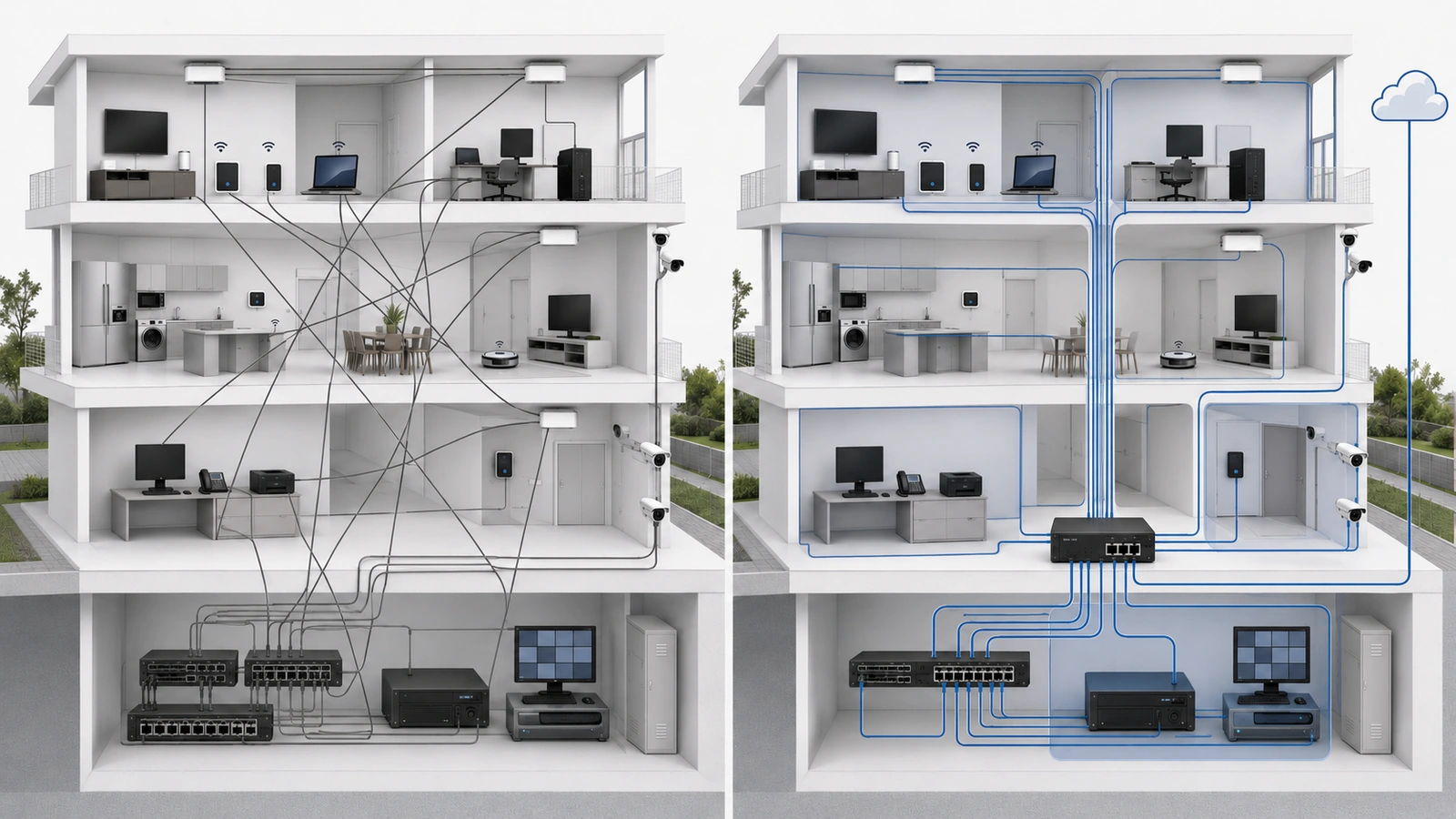
04 Mistake: Overcomplicating Segmentation and Firewall Policy
The opposite of under-segmentation is creating more VLANs, subnets, SSIDs, and firewall rules than the property can support.
Overcomplicated environments often develop:
- Duplicate or contradictory firewall rules
- Unexplained address and service groups
- Temporary broad exceptions that become permanent
- Broken casting, printing, or controller communication
- Dependence on one installer’s memory
- Configuration differences across switches and access points
Practical correction
Require every zone and cross-zone exception to have a clear operational reason. Use consistent names, group rules logically, and record the owner and purpose of each important exception.
Do not create a separate VLAN for every room, device brand, or minor category. Segmentation should follow trust, ownership, required communication, and consequence.
A smaller documented policy is generally more dependable than a granular design that future administrators cannot understand.
05 Mistake: Weak Management and Administrator Controls
The systems that administer the network deserve stronger protection than ordinary user services. This includes firewalls, switches, access points, controllers, camera platforms, access-control systems, automation interfaces, and remote-management portals.
Recurring weaknesses include:
- Default or reused administrative passwords
- Shared administrator accounts
- No multifactor authentication
- Management interfaces reachable by general users
- Unencrypted or legacy management protocols
- Unnecessary internet exposure
- No record of who has administrative access
Practical correction
Restrict administration to approved users and devices through a controlled management path. Use unique identities, strong authentication, multifactor authentication where supported, encrypted protocols, and administrative activity logging.
A Management VLAN can help, but it is not sufficient by itself. Firewall rules must restrict who can reach it, and switch-port and wireless configurations must prevent unintended membership.
06 Mistake: Allowing Uncontrolled Vendor Access
Homes and community properties frequently depend on vendors for cameras, gates, access control, building automation, audio and video, elevators, pools, and managed networking.
Problems arise when vendors receive permanent unrestricted network access, share generic credentials, install undocumented remote-control software, or retain access after the service relationship ends.
Practical correction
Vendor access should be:
- Limited to the systems and services required for the vendor’s role
- Assigned to an identifiable individual or organization
- Protected with multifactor authentication where supported
- Logged and periodically reviewed
- Time-limited or approval-based when practical
- Revocable without disrupting unrelated services
- Removed promptly when the relationship ends
A restricted vendor zone may be appropriate for locally connected contractor devices. Remote access should use an approved encrypted method rather than unnecessary port forwarding to internal equipment.
The property should retain ownership or clearly documented authority over critical accounts, configurations, licenses, and recovery methods.
07 Mistake: Using Outdated or Unsupported Infrastructure
Older equipment does not become insecure merely because it has reached a certain age. The concern is whether it continues to receive security updates, supports appropriate protocols, performs reliably, and remains compatible with current operational requirements.
Lifecycle problems commonly include:
- Routers and access points that no longer receive updates
- Weak or obsolete wireless-security options
- Unmanaged switches where policy and visibility are required
- End-of-life camera and access-control platforms
- Unsupported remote-access software
- Equipment with no available replacement configuration
Practical correction
Maintain an equipment inventory containing model, role, location, administrator, support status, installation date, warranty, and planned replacement window.
Replace infrastructure based on support, security, reliability, capacity, and operational risk—not solely because a newer product exists.
Before replacement, confirm configuration migration, compatibility, licensing, physical mounting, power requirements, and rollback options.
08 Mistake: Weak Wi-Fi and Credential Practices
Wireless access often expands beyond its intended audience because passwords are widely shared, reused indefinitely, or never changed after staff and vendor transitions.
Administrative credentials may also be reused across the router, switches, cameras, and other platforms, allowing one compromised password to affect multiple systems.
Practical correction
- Use supported modern wireless encryption.
- Use strong, unique administrative passwords.
- Separate guest access from operational systems.
- Use individual identities where enterprise authentication is justified.
- Rotate shared credentials after relevant staffing or vendor changes.
- Store recovery information securely.
- Disable obsolete SSIDs and unused accounts.
- Avoid placing passwords in openly accessible documents or labels.
Where a shared community password is unavoidable, define who may distribute it, when it should change, and what systems remain protected from users who know it.
Do not treat a hidden SSID or MAC-address filtering as a substitute for strong authentication and appropriate segmentation.
09 Mistake: Missing Documentation and Configuration Backups
A network may function for years while depending entirely on one technician’s memory. The weakness becomes visible when the technician is unavailable, the board or management company changes, or a gateway fails.
Useful documentation should identify:
- Internet services and account ownership
- Network topology and equipment locations
- VLANs, subnets, SSIDs, and switch-port assignments
- Firewall-policy purposes and exceptions
- Critical applications and communication dependencies
- Vendor responsibilities and approved access
- Administrator and emergency-support contacts
- Backup and recovery procedures
Documentation should protect sensitive information. A network diagram and credential vault may both be necessary, but passwords and recovery codes should not be scattered throughout general operational records.
Practical correction
Maintain current configuration backups for firewalls, switches, access points, controllers, and other critical systems where the platforms support them.
A backup is valuable only when it can be located, accessed by an authorized person, and restored to appropriate replacement equipment. Periodically confirm that backup jobs succeed and that documented recovery methods remain valid.
10 Mistake: Ignoring Physical and Power Protection
Logical controls cannot protect equipment that is physically accessible to unauthorized users or repeatedly damaged by heat, moisture, unstable power, or accidental disconnection.
Residential and community weaknesses may include:
- Unlocked network cabinets in shared spaces
- Exposed switch ports available to the public
- Unlabeled cables and power supplies
- Network equipment installed in unsuitable environments
- No UPS protection for critical gateways and switches
- Uncontrolled access to camera recorders or controllers
Practical correction
Restrict access to network rooms and cabinets, disable or assign unused ports safely, label infrastructure clearly, and document who holds keys or access credentials.
Provide suitable ventilation, surge protection, grounding, and uninterruptible power based on the equipment and operational requirements. A UPS is not a substitute for generator planning or full power design, but it can reduce disruption from brief outages and allow controlled shutdown where supported.
Critical community systems should be evaluated for appropriate uptime, environmental, and recovery requirements.
11 Mistake: Collecting No Useful Logs—or Too Many
Without logs, a property may have little evidence when troubleshooting unusual communication, failed remote access, or administrative changes. Enabling every possible event without a review plan can create the opposite problem: large volumes of noise with no responsible reviewer.
Practical correction
Prioritize meaningful events such as:
- Administrative logins and configuration changes
- Failed attempts to reach management interfaces
- Unexpected communication between important zones
- Remote and vendor-access activity
- Repeated failures affecting critical systems
- Changes in device connectivity or infrastructure status
Define where logs are retained, for how long, who reviews significant events, and what conditions require action. Rate-limit or summarize expected high-volume denials when necessary.
Monitoring should match the property’s operational capacity. An alert that nobody receives or understands is not a dependable control.
12 Mistake: Treating Security as a One-Time Installation
Networks change continuously. New devices are added, vendors replace equipment, remote-access methods change, staff and boards rotate, and temporary firewall exceptions accumulate.
A design that was appropriate at installation can become poorly organized if nobody owns its ongoing review.
Practical correction
Assign responsibility for recurring network-security reviews. A practical review may include:
Residential and HOA Security Review
- Confirm current equipment and support status.
- Review administrator, staff, and vendor accounts.
- Remove obsolete remote-access methods and port forwards.
- Verify guest isolation and internal network restrictions.
- Review VLAN assignments and firewall-rule exceptions.
- Confirm IPv4 and IPv6 policy behavior.
- Check configuration backups and recovery access.
- Update diagrams, inventories, and support contacts.
- Inspect physical cabinets, power protection, and unused ports.
- Record findings, owners, priorities, and completion dates.
Reviews should also occur after material events such as vendor replacement, infrastructure expansion, account compromise, equipment failure, property-management transition, or the introduction of a critical new system.
13 Prioritize Corrections by Exposure and Consequence
Not every weakness carries the same urgency. A property should prioritize issues according to the likelihood of unauthorized access, the importance of the affected system, and the operational consequence of failure.
| Priority | Example Conditions | Response |
|---|---|---|
| Immediate | Exposed management interfaces, default credentials, unrestricted public access to internal systems | Contain exposure and verify access promptly |
| High | Unsupported critical equipment, uncontrolled vendor access, missing recoverable configuration | Create a documented remediation plan and owner |
| Planned | Inconsistent naming, excessive rules, incomplete diagrams, lifecycle improvements | Correct through controlled maintenance |
Urgent corrections should still be controlled. Back up configurations, understand dependencies, test required services, and preserve a rollback path. A rushed security change that disables gates, cameras, office systems, or remote support can create a different operational risk.
Final Perspective
Residential and HOA network security is rarely improved by one product or setting. It emerges from the relationship among architecture, access control, equipment lifecycle, documentation, recovery, physical protection, and ongoing ownership.
The recurring mistakes are practical: unrelated systems share unnecessary access, guest isolation is assumed rather than tested, connected devices receive excessive trust, vendors retain broad permissions, management interfaces are poorly protected, and nobody maintains current records or backups.
The solution is not maximum complexity. Begin with the most consequential exposures, create purposeful trust boundaries, secure administrative access, remove obsolete permissions, maintain supported infrastructure, and verify that recovery procedures work.
A secure property network should remain understandable when vendors change, administrators are unavailable, equipment fails, and the environment expands. Security becomes sustainable when it is documented, testable, recoverable, and clearly owned.
.