
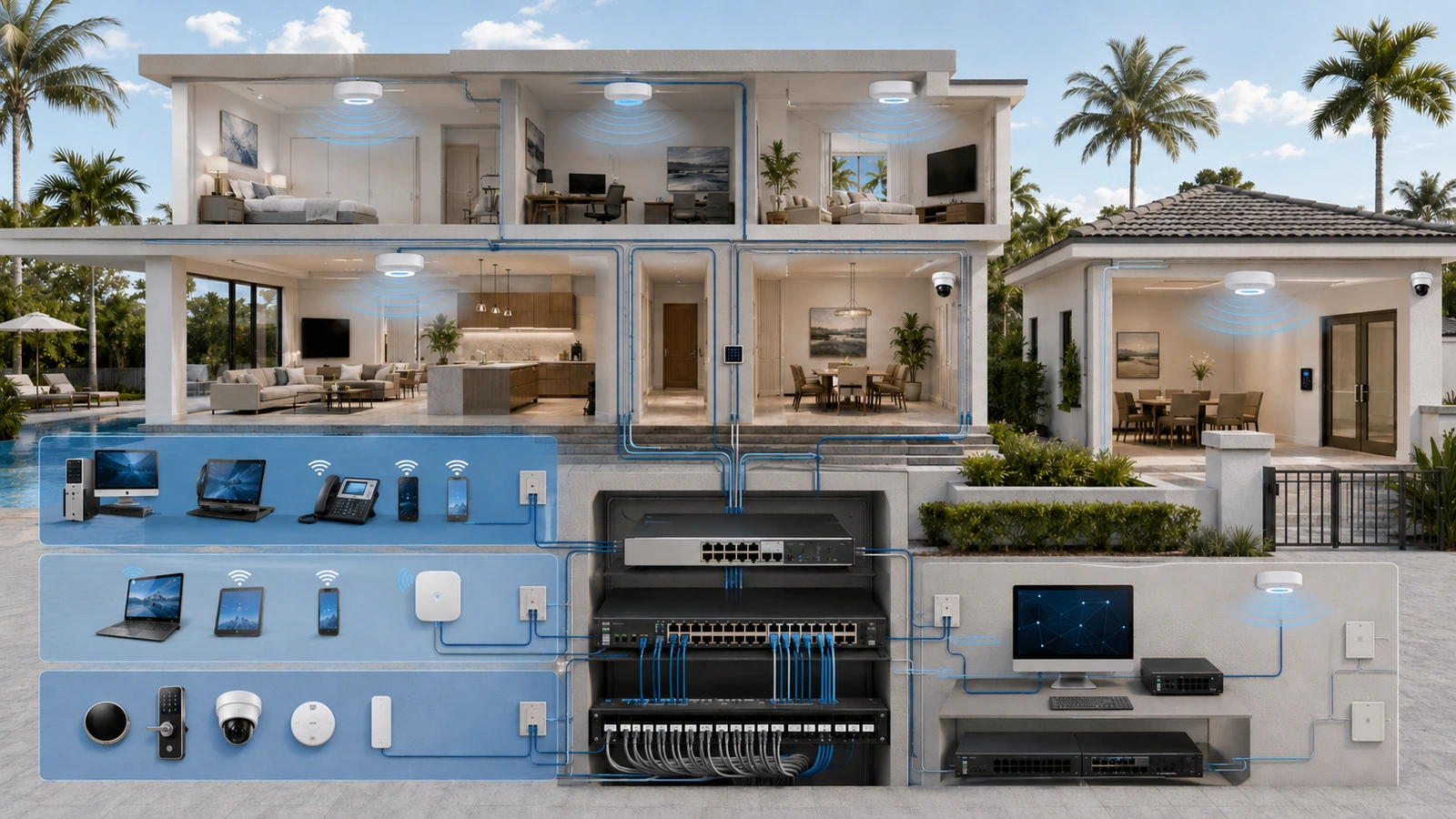
A VLAN design allows one physical network to support several logical trust zones. Switches, wireless access points, cabling, and gateways can be shared while trusted users, guests, connected devices, and administrative interfaces remain separated according to purpose.
The technology is useful, but the value does not come from the VLAN numbers themselves. A dependable design requires clear device assignments, separate IP networks, deliberate firewall policies, protected management access, documentation, and testing.
For many homes and smaller community properties, four zones provide a practical starting point: Private, Guest, IoT or Operational, and Management. Larger properties can expand the model when ownership, risk, or operational requirements justify additional boundaries.
01 What a VLAN Does—and What It Does Not Do
A virtual local area network creates a separate Layer 2 broadcast domain across compatible network infrastructure. Devices assigned to different VLANs can share the same physical switches and access points without behaving as though they are on the same local network.
Each user-facing or device-facing VLAN is commonly assigned its own IP subnet and DHCP scope. Traffic moving from one subnet to another must be routed through a gateway, firewall, or other Layer 3 device.
This creates an enforcement opportunity. The firewall can permit required communication and block unnecessary traffic between zones.
A VLAN does not automatically:
- Block routed communication with other VLANs
- Protect the gateway or switch configuration
- Secure vulnerable connected devices
- Prevent access through an incorrectly assigned switch port
- Create equivalent policy for IPv4 and IPv6
- Document why communication is permitted
VLANs provide logical separation. Security depends on the policies and operational controls built around that separation.
02 Start With Four Practical Trust Zones
The four-zone model is useful because it separates the most common residential and small-property functions without creating excessive complexity.
| VLAN or Zone | Typical Devices | Primary Policy Objective |
|---|---|---|
| Private | Trusted computers, phones, tablets, approved printers and storage | Protect trusted users while permitting required local and internet services |
| Guest | Visitor, resident-amenity and temporary devices | Provide controlled internet access without internal access |
| IoT or Operational | Televisions, appliances, cameras, controllers and automation devices | Allow documented functions while restricting access to trusted systems |
| Management | Firewalls, switches, access points, controllers and administrative interfaces | Limit administration to approved users and access paths |
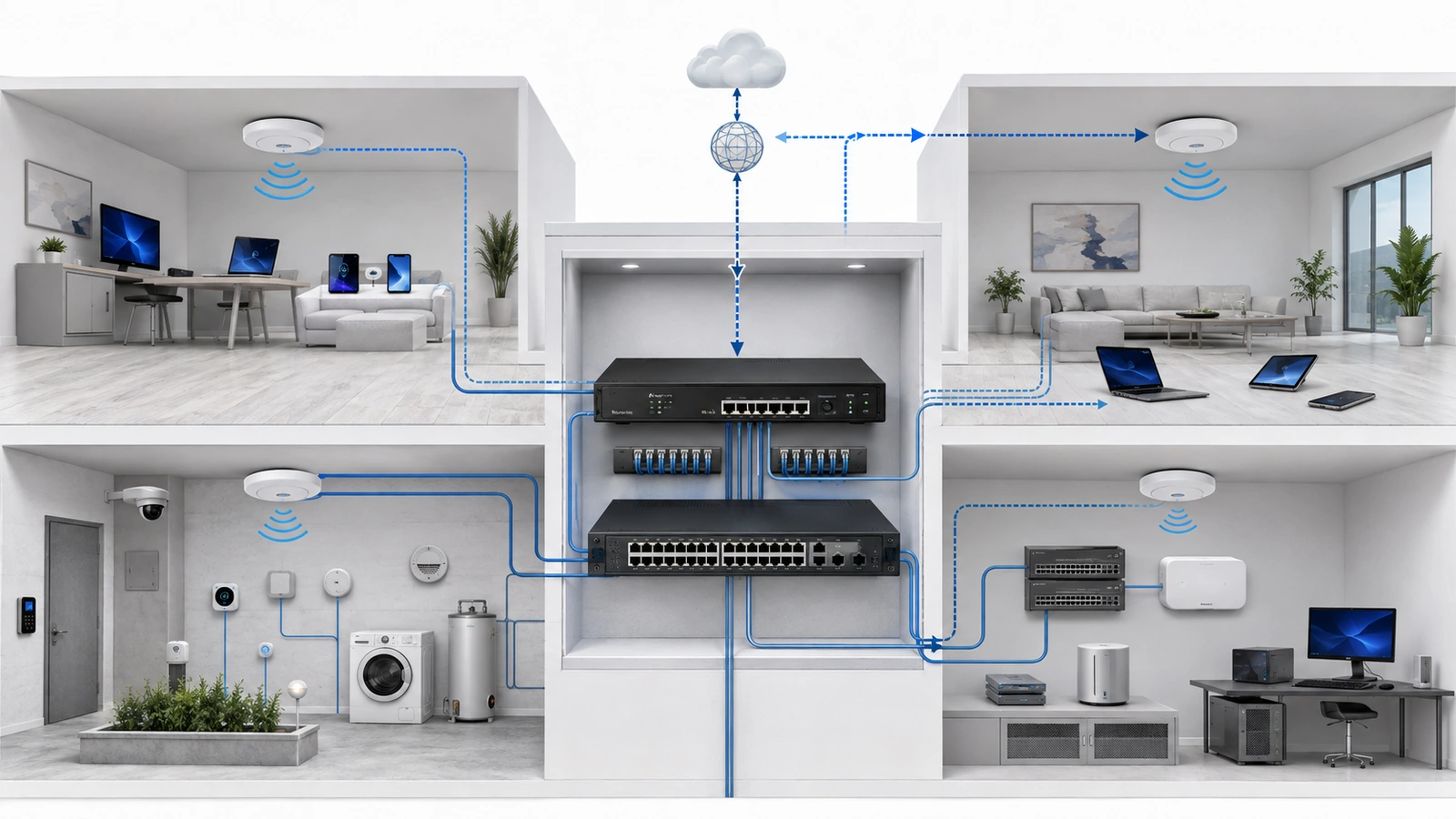
These zones are a starting model rather than a mandatory template. A simple residence may need only a trusted network and isolated guest access. A connected home may add an IoT zone. A managed community property may require several additional operational segments.
Add a VLAN when it represents a meaningful difference in trust, ownership, administration, communication, or consequence. Do not create one merely because an available number has not been used.
03 Design the Private VLAN
The Private VLAN normally supports trusted user devices such as household computers, mobile devices, approved printers, network storage, and workstations.
This is generally the highest-trust user network, but it should not automatically receive unrestricted access to every operational or management system.
Trusted users may need to initiate approved connections to selected IoT services. Examples include viewing a camera system, controlling a television, printing, or operating a home-automation controller.
Those requirements should be expressed as specific policies wherever practical. Allowing the entire Private VLAN unrestricted access to every other zone can weaken the design and make future troubleshooting more difficult.
Administrative access deserves stronger controls. Only approved devices or administrator accounts should reach firewalls, switches, access points, and controllers. A trusted personal device is not automatically an authorized management workstation.
Where business or sensitive remote work occurs, the property may choose to create a separate work zone. That decision should be based on real risk and administrative capacity rather than a general assumption that every work computer requires its own VLAN.
04 Design the Guest VLAN
The Guest VLAN normally provides internet connectivity without access to private, IoT, security, operational, or management networks.
A typical guest policy may include:
- DHCP and approved DNS services
- Internet access through the property firewall
- Blocking of private and management IP ranges
- Optional client-to-client isolation
- Appropriate bandwidth or application controls
- Logging and usage policies suited to the property
Client isolation is especially useful in public or community environments where connected guests should not communicate with one another. However, it should be tested rather than assumed from a setting name.
The guest design should also account for wired connections. A guest SSID can separate wireless users, but it does not control an available wall jack unless the associated switch port is assigned to an appropriate guest or restricted network.
If a community intentionally offers local services such as event-room casting or guest printing, those exceptions should be narrowly defined. Providing access to one service should not expose the rest of the network hosting it.
05 Design the IoT or Operational VLAN
The IoT or Operational VLAN supports connected devices that are useful but may receive inconsistent security updates, depend on external services, or require less access than trusted computers.
Examples include:
- Smart televisions and streaming devices
- Thermostats and lighting controllers
- Voice assistants and connected appliances
- Residential cameras and doorbells
- Audio and automation systems
- Environmental and amenity devices
These systems do not all have identical requirements. Some need outbound cloud access, some operate locally, and others require communication with a controller or recorder. Do not assume that every connected device requires unrestricted internet access.
A practical policy frequently blocks IoT devices from initiating general connections to the Private VLAN. Trusted devices may be allowed to initiate selected sessions toward approved IoT services, with the stateful firewall permitting the associated return traffic.
Communication among IoT devices should also be considered. Complete client isolation may break systems that depend on controllers, hubs, recorders, or peer communication. The policy should reflect how the products actually operate.
Where cameras or access-control systems have greater operational importance, placing them in dedicated VLANs may be more appropriate than combining them with ordinary household or amenity devices.
06 Design the Management VLAN
The Management VLAN contains or provides access to the administrative interfaces of the infrastructure itself. This may include the firewall, switches, wireless access points, network controller, out-of-band management tools, power systems, and monitoring platforms.
Access should normally be limited to authorized administrators using approved devices or a controlled administrative path.
Important protections include:
- Unique administrator accounts
- Multifactor authentication where supported
- Encrypted management protocols
- Restricted local and remote access
- Configuration backups
- Administrative activity logging
- Documented emergency access
A management VLAN should not be treated as automatically secure simply because ordinary clients are assigned elsewhere. An incorrectly configured trunk, native VLAN, wireless profile, or firewall rule can expose the management interfaces.
Vendor access should be authenticated, limited to required systems, logged, revocable, and preferably time-bound. Avoid permanently exposing administrative interfaces to the internet for occasional convenience.
07 Define Inter-VLAN Communication
VLANs separate traffic locally. Routing reconnects the zones when communication is required. This is where the firewall policy becomes essential.
Begin by documenting allowed communication rather than adding broad rules during troubleshooting.
| Source | Destination | Example Policy Intent |
|---|---|---|
| Guest | Internal zones | Block by default |
| Private | Selected IoT services | Allow documented user-initiated functions |
| IoT | Private | Block new connections unless specifically required |
| Authorized admin | Management | Allow approved administrative protocols |
| Management devices | Internet services | Permit only required updates, time, monitoring or support |
Network services such as DHCP, DNS, and NTP must also be included in the design. Rules should account for where those services are hosted and which zones may use them.
Apply equivalent security intent to IPv4 and IPv6 when both protocols are present. NAT does not replace firewall policy, and disabling or ignoring one protocol without understanding the environment can produce unpredictable results.
Each rule should have a recognizable purpose. Document the source, destination, service, responsible system, business or operational reason, and review date.
08 Plan for Discovery, Casting and Printing
Some applications depend on local broadcast or multicast discovery. AirPlay, casting platforms, printers, smart-home controllers, and certain media systems may work easily on one flat network but stop appearing when clients and services are placed in different VLANs.
This behavior does not mean the VLAN design has failed. It means the application depends on a discovery method that normally remains inside one local broadcast domain.
Possible approaches include:
- Keeping tightly integrated devices in the same appropriate zone
- Allowing specific direct communication between zones
- Using a controlled multicast or mDNS gateway
- Providing a dedicated shared service designed for cross-zone use
Discovery gateways should be selective. Repeating every advertised service into every VLAN can expose unnecessary information and recreate some of the communication the segmentation was intended to restrict.
Test both discovery and actual service communication. A device appearing in an application does not guarantee that every required connection is permitted, and a firewall rule allowing a port does not guarantee that discovery will work.
09 Map Wired and Wireless Devices Correctly
The logical design must be translated consistently into switch-port and wireless configurations.
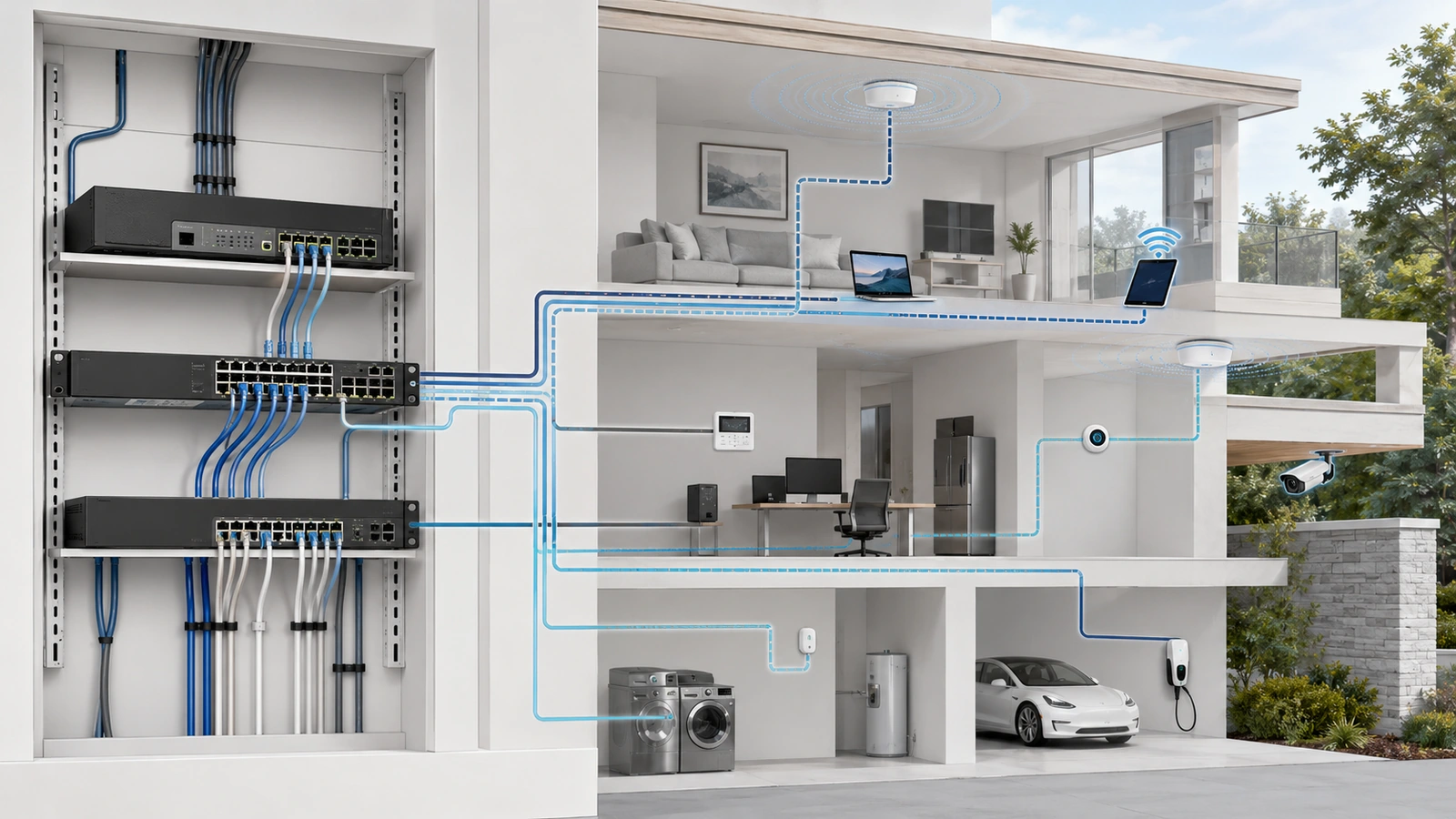
An access port normally places an endpoint into one VLAN. A trunk or tagged uplink can carry multiple VLANs between compatible switches, access points, firewalls, and controllers.
Important implementation details include:
- Which VLAN is untagged or native on each relevant link
- Which tagged VLANs are permitted across each trunk
- Which SSID maps to which VLAN
- Which wall jacks or endpoint ports belong to each zone
- How unused ports are disabled or restricted
- How infrastructure devices obtain management connectivity
Inconsistent tagging is a common cause of failures. A VLAN may exist on the firewall and core switch but fail at another switch or access point because it was not permitted across an intermediate link.
Do not use a production network as an accidental native VLAN merely for convenience. The chosen behavior should be explicit and consistently documented across the infrastructure.
10 Create a Consistent Addressing and Documentation Standard
The actual VLAN identification numbers are less important than consistency and documentation. An organization may reserve number ranges for user, operational, security, vendor, and management networks, but the scheme should remain understandable.
For every VLAN, document:
VLAN Documentation Checklist
- Descriptive zone name and operational purpose
- VLAN identification number
- IPv4 subnet, gateway, and DHCP scope
- IPv6 prefix and policy where applicable
- Associated wired ports and wireless SSIDs
- Expected device types and responsible owner
- Required internal and internet communication
- Firewall-rule references and approved exceptions
- Management and remote-support method
- Configuration backup and last review date
Names should describe function rather than depend entirely on numbers. A label such as “Community Guest” or “Security Cameras” communicates more than “VLAN 40” without additional context.
Where several properties are managed together, a consistent framework can reduce errors and simplify support. However, identical numbering should not be forced when it creates subnet conflicts, overlapping VPN routes, or inappropriate assumptions about different sites.
11 Expand the Model for Community Environments
HOAs, condominiums, clubhouses, and shared properties may require more than the four-zone residential model.
Possible additional zones include:
- Staff or Administrative: Office computers, printers, and approved business systems
- Surveillance: Cameras, recorders, monitoring workstations, and approved viewing paths
- Access Control: Gate controllers, credential readers, intercoms, and related servers
- Building Operations: Environmental, pool, irrigation, lighting, or amenity controllers
- Vendor: Restricted third-party devices or controlled service access
- Resident Services: Property-provided systems that differ from public guest access
Not every community needs every zone. Cameras and access control may share an operational segment in one small property but require separate controls in a larger or more critical environment.
The decision should consider system ownership, support responsibility, required communication, vendor requirements, consequence of failure, and the ability to maintain additional policies.
12 Test Before Considering the Design Complete
A successful DHCP lease confirms only that a device joined a network. Commissioning must verify the full policy.
From representative devices in each VLAN, test:
- IP address, gateway, DNS, and time-service operation
- Required internet connectivity
- Required local applications and controllers
- Blocked access to unrelated trust zones
- Protection of network-management interfaces
- Guest-to-guest isolation where required
- Discovery, casting, printing, and camera viewing
- IPv4 and IPv6 enforcement
- Approved remote administration and vendor access
- Logging and monitoring of significant events
Back up the working configuration and record the test results. Future changes should follow a controlled process so that temporary exceptions do not quietly weaken the architecture.
Final Perspective
A practical VLAN design begins with four understandable zones: Private, Guest, IoT or Operational, and Management. These zones address common differences in trust and purpose while remaining manageable for many homes and smaller properties.
Community environments may expand the architecture for staff, surveillance, access control, building operations, vendors, or resident services. Additional VLANs should be introduced only when they solve a documented separation requirement.
The VLAN establishes the logical boundary. Subnets provide the IP structure. Switches and access points carry the correct traffic. Firewall policies control communication. Documentation and testing keep the system dependable after installation.
The strongest design is not the one with the greatest number of VLANs. It is the one in which every zone has a clear purpose, every permitted path has a reason, and the property can continue operating and supporting the architecture over time.