
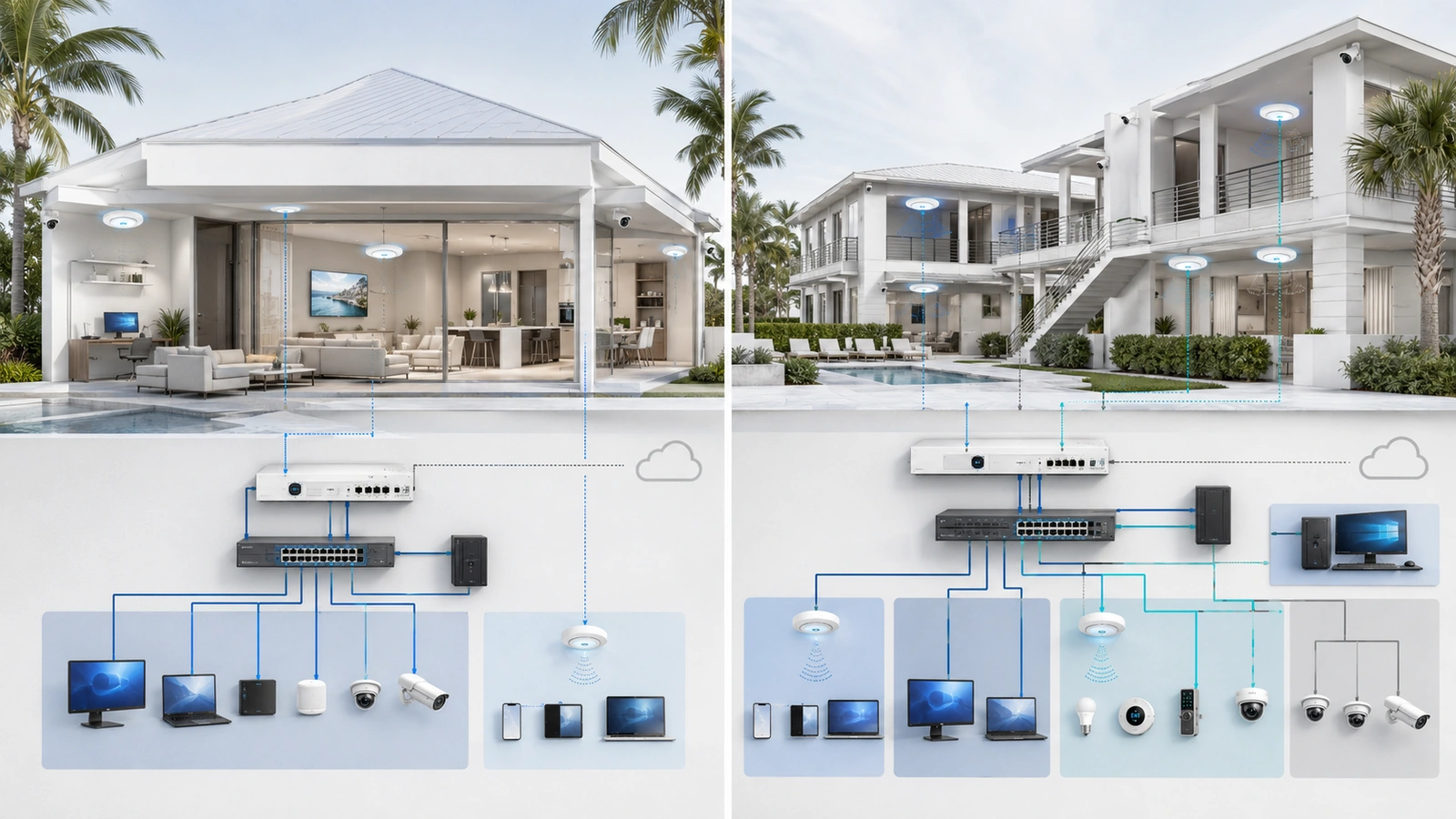
VLANs are frequently presented as an essential upgrade for every modern network. Homeowners hear that they need separate VLANs for trusted devices, guests, security cameras, smart appliances, children, work computers, and network management. HOA boards and property managers may receive similarly complicated recommendations for relatively small community environments.
VLANs can provide valuable separation, but they are not automatically necessary—and they do not create security by themselves.
The practical question is not whether VLANs are advanced or desirable. It is whether the property contains users, devices, or systems that should be separated and whether someone can maintain the resulting design correctly.
01 What a VLAN Actually Provides
A virtual local area network, or VLAN, divides compatible network infrastructure into separate logical networks. Devices can use the same physical switches and access points while belonging to different broadcast domains and, commonly, different IP subnets.
For example, one access point may broadcast a private wireless network and a guest wireless network. Each SSID can be assigned to a different VLAN, allowing both groups to use the same access point while remaining logically separated.
VLANs are useful because they provide organized boundaries. They can separate:
- Trusted personal devices from connected appliances
- Visitors from private household systems
- Community guests from management-office computers
- Security devices from general-purpose users
- Network administration from ordinary client access
However, the VLAN itself does not decide what may cross the boundary. If routing between VLANs is unrestricted, devices in different VLANs may still communicate freely.
Meaningful protection requires firewall rules, access controls, secure administration, and testing. VLANs create the structure through which those protections can be applied.
02 Begin With the Separation Problem
Before creating VLANs, identify exactly what needs to be separated and why.
A property may have a legitimate separation requirement when devices have different owners, administrators, trust levels, or consequences if compromised. Guest access, connected appliances, work-from-home systems, surveillance equipment, access control, and community management systems are common examples.
Ask practical questions:
- Should visitors be able to discover private computers or storage devices?
- Should smart appliances initiate connections to work computers?
- Should clubhouse guests reach cameras or access-control equipment?
- Should residents have access to network-management interfaces?
- Does a vendor need access to one system without reaching everything else?
- Would compromising one device expose systems with greater operational importance?
If the environment contains no meaningful separation requirement, VLANs may add little value. If several of these situations exist, segmentation becomes easier to justify.
This approach keeps the decision tied to actual risk and operation rather than technology for its own sake.
03 When a Home May Not Need VLANs
A smaller residence with a limited number of trusted users and connected devices may operate securely without a customized VLAN architecture.
A simple design may be appropriate when:
- The household has relatively few connected devices.
- Most devices are owned and controlled by the same people.
- There are few or no smart-home or security systems.
- Visitors can use a properly isolated guest network.
- The homeowner prefers minimal administration.
- The installed equipment does not support VLANs consistently.
In this environment, one protected private network and one isolated guest network may be sufficient. The router should still receive updates, use strong administrative credentials, provide appropriately configured Wi-Fi security, and prevent guest users from reaching private devices.
Endpoint security also remains important. Supported operating systems, software updates, unique passwords, multifactor authentication, secure backups, and careful account management may reduce more immediate risk than adding several poorly maintained VLANs.
This does not mean the property can never benefit from segmentation. The design can be reconsidered as more connected devices, remote-work systems, surveillance equipment, or shared users are introduced.
04 When VLANs Become Useful at Home
VLANs become more valuable as a home begins to resemble a small managed technology environment.
A larger or more connected residence may include dozens of smart devices, multiple access points, cameras, automation controllers, network storage, work computers, entertainment equipment, service vendors, and temporary guests.
In these situations, different systems may have materially different trust levels and communication requirements.
| Home Condition | Potential Separation | Practical Benefit |
|---|---|---|
| Frequent visitors | Guest network | Internet access without exposure to private systems |
| Numerous connected devices | IoT network | Limits unnecessary access to trusted computers and storage |
| Remote or sensitive work | Trusted or work zone | Reduces exposure to lower-trust household devices |
| Managed networking equipment | Management zone | Restricts access to administrative interfaces |
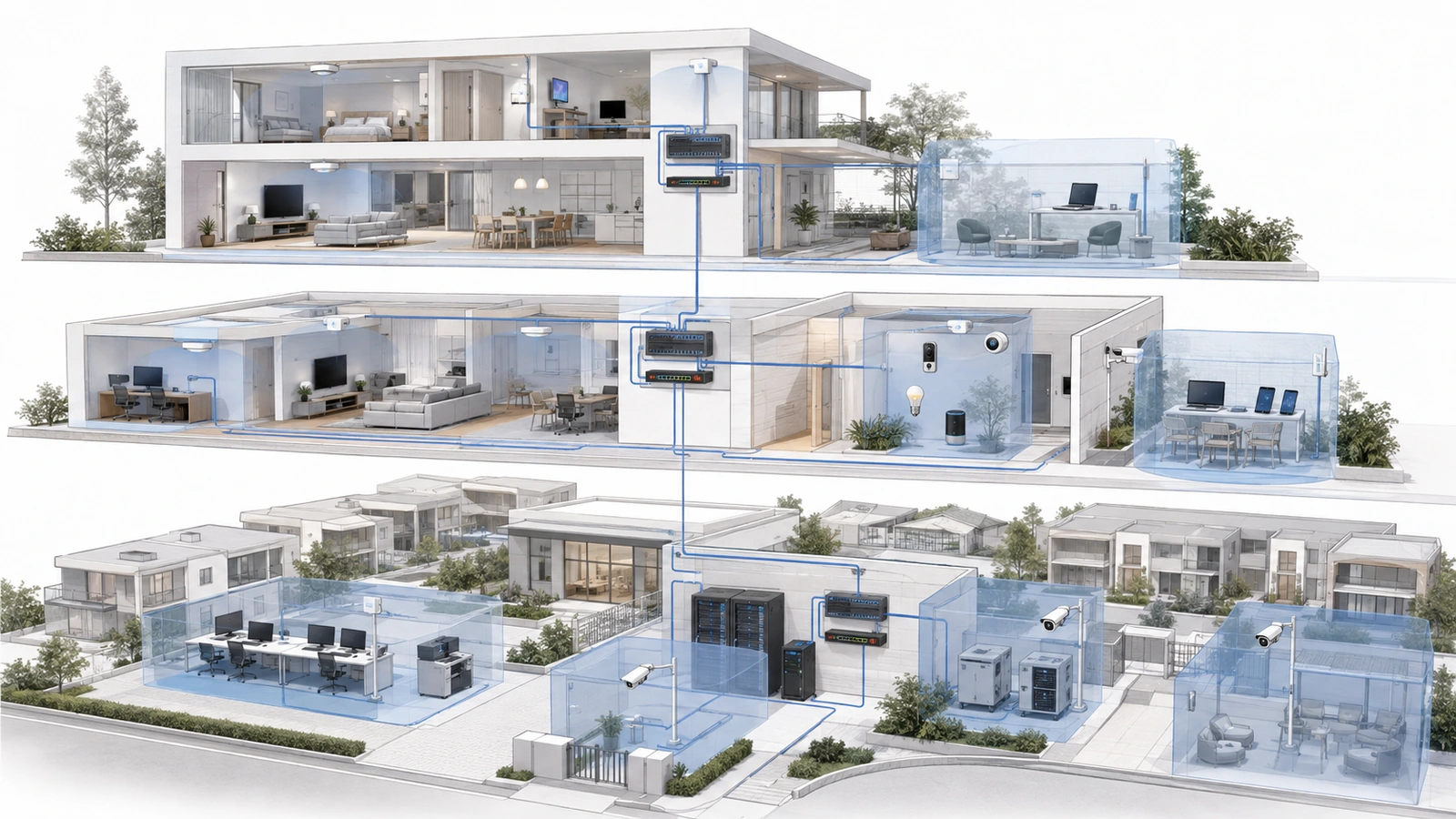
A practical residential design often requires only three broad zones: trusted, guest, and IoT. A separate management zone may be added when the infrastructure and administrator can support it properly.
There is rarely a good reason to begin with a different VLAN for every room, family member, or device category. Additional zones should address a real policy requirement.
05 Why VLANs Matter More in Small Communities
Even a relatively small HOA or condominium property can contain systems with different owners, users, and operational consequences.
A clubhouse or management building may combine:
- Public or resident guest Wi-Fi
- Management-office computers and printers
- Surveillance cameras and recording systems
- Door, gate, and amenity access control
- Building automation and environmental controls
- Audio, television, and event systems
- Network equipment and management platforms
- Temporary contractor or vendor devices
Placing all of these systems on one unrestricted network creates unnecessary communication paths. A guest connected near the pool should not be able to reach an office printer, camera interface, access-control panel, or network switch.
Shared environments also experience more frequent changes. Employees leave, vendors change, contracts expire, equipment is replaced, and temporary users come and go. Segmentation helps limit the reach of each group and makes responsibilities easier to define.
For these properties, VLANs are often a practical architectural control rather than an optional technical feature.
06 A Guest Network May Be Enough—But Verify It
Many consumer and small-business routers provide a guest-network feature. For a simple home, this can deliver the most important separation benefit without requiring the owner to design VLANs and firewall policies manually.
A guest network may provide:
- A separate wireless name and password
- Internet-only access
- Blocking of private network destinations
- Isolation between guest devices
- Optional bandwidth or usage controls
Implementations differ. A separate SSID does not automatically prove that users are separated. The feature may use VLANs internally, a separate software interface, client isolation, firewall policy, or a combination of controls.
Verify that guest clients cannot reach private IP addresses, administrative interfaces, shared storage, printers, or other protected systems. Also determine whether guests can communicate with one another. Client-to-client isolation may be desirable in community and public-access environments.
If the guest function provides the required separation and is easy to support, creating a customized VLAN architecture may not provide enough additional benefit for a small residence.
07 Account for Compatibility and Administration
A VLAN design affects more than the router. The switches, wireless access points, controllers, and uplinks carrying multiple networks must support and preserve the intended VLAN configuration.
The person maintaining the network should understand concepts such as:
- Tagged and untagged traffic
- Access and trunk port behavior
- SSID-to-VLAN assignment
- Subnets and DHCP scopes
- Inter-VLAN firewall rules
- Management access and recovery
Connected-device compatibility also matters. Printers, streaming systems, casting platforms, automation controllers, and smart-home products may rely on local discovery. Moving them into another VLAN can interrupt discovery even when selected traffic is allowed through the firewall.
A controlled multicast or mDNS gateway may restore specific discovery functions, but it adds another policy that must be configured, tested, and maintained. Broadly repeating discovery traffic across every VLAN can undermine the separation the design was intended to provide.
The configuration must also account for IPv6 where it is enabled. A property should not enforce carefully designed IPv4 restrictions while leaving equivalent IPv6 communication uncontrolled.
08 Avoid Both Common Extremes
The first extreme is leaving every system on one unrestricted network even when obvious trust differences exist. This is common in clubhouses, small offices, large homes, and older community facilities that expanded over time.
Guest devices, cameras, administrative computers, building systems, and network interfaces may all share the same local network simply because that was the easiest way to make them function.
The opposite extreme is creating too many VLANs. A property may end up with separate networks for every device type, room, vendor, or minor function. The accompanying firewall rules become difficult to interpret, documentation falls behind, and troubleshooting requires knowledge that may not be available later.
Unnecessary complexity can produce its own security problems:
- Overly broad rules added to solve compatibility issues
- Temporary exceptions that are never removed
- Devices connected to the wrong switch ports or SSIDs
- Management interfaces exposed for convenience
- Inconsistent policies between wired and wireless devices
- Configuration backups that are missing or outdated
The strongest design is normally the simplest one that separates the property’s meaningful trust zones correctly.
09 Use This VLAN Decision Checklist
Answering “yes” to one question does not automatically require a VLAN deployment. Several affirmative answers, especially in a shared property, indicate that segmentation deserves serious consideration.
VLAN Decision Checklist
- Do guests or residents use internet service provided by the property?
- Are connected appliances or IoT devices mixed with trusted computers?
- Does the network support cameras, access control, or building systems?
- Are management-office or work-from-home devices present?
- Do vendors or contractors require network access?
- Would compromising one device expose more important systems?
- Must certain users reach the internet without reaching local devices?
- Does the installed router or firewall support inter-VLAN policy?
- Do the switches and access points support the required VLAN configuration?
- Can someone document, test, back up, and maintain the design?
| Environment | Likely Starting Point | Important Qualification |
|---|---|---|
| Small, simple home | Private network plus isolated guest access | Verify guest separation rather than assuming it |
| Connected or smart home | Trusted, guest, and IoT zones | Account for discovery and controller communication |
| Small HOA or community | Guest, office, operational/security, and management zones | Base the final design on ownership and required communication |
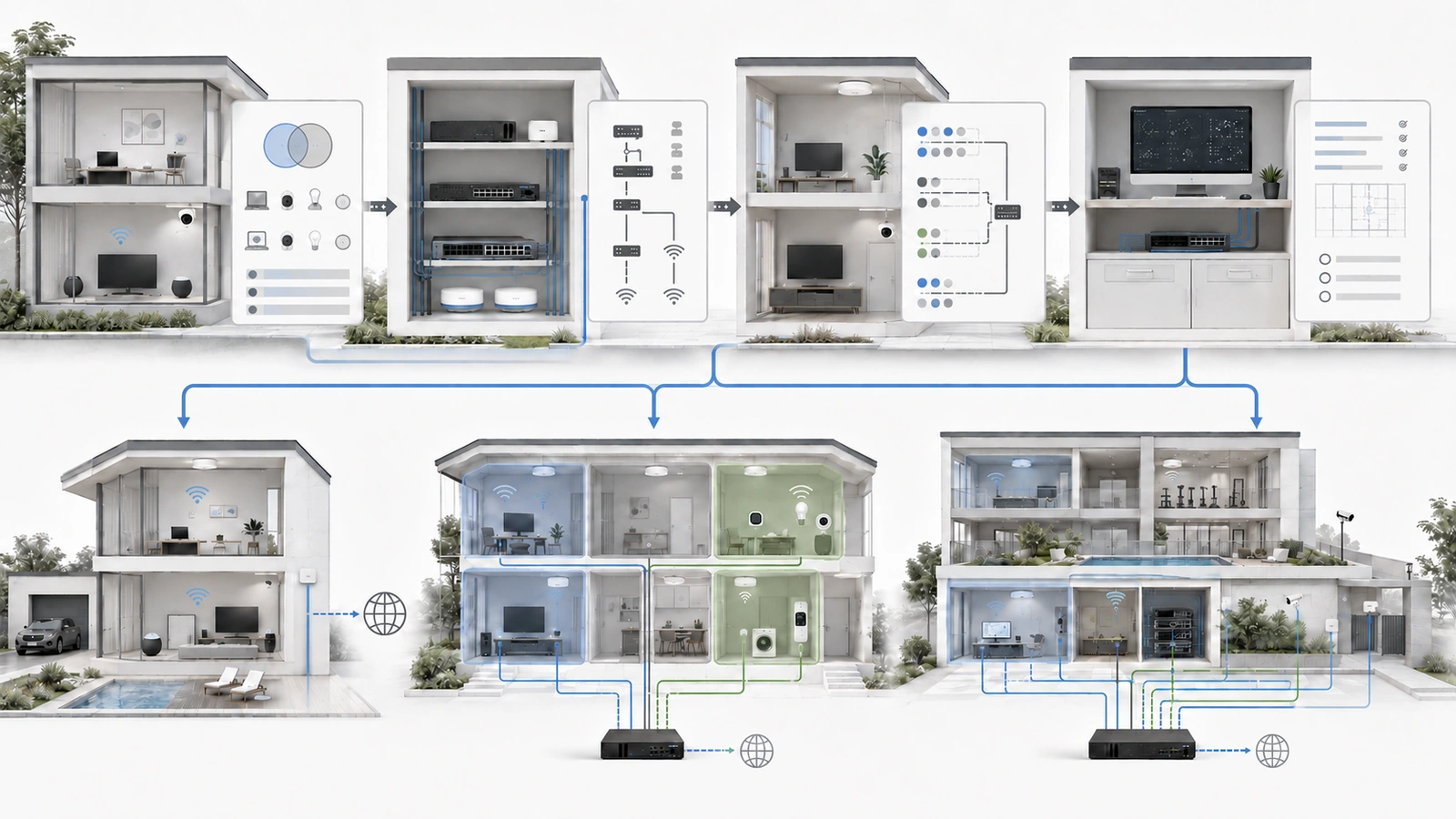
If VLANs are justified, begin with a small number of clearly named zones. Document which users and devices belong in each zone, what they must reach, and which communication should be blocked.
Then configure firewall rules, test required and prohibited traffic, protect the management interfaces, and retain a current configuration backup.
Final Perspective
Not every home needs VLANs. A private network and a properly isolated guest network may be entirely appropriate for a small environment with trusted users, few connected systems, and limited administrative capacity.
VLANs become more valuable when a home contains numerous connected devices, sensitive work systems, cameras, automation equipment, or network infrastructure that should not be reachable by every user.
In community and HOA environments, the case is usually stronger. Guests, residents, employees, contractors, security equipment, building systems, and administrative devices should not automatically share unrestricted access.
The decision should remain proportional. VLANs create useful logical boundaries, while firewall policies, secure management, documentation, testing, and ongoing maintenance determine whether those boundaries provide real protection.
The best design is not the one with the most VLANs. It is the simplest supportable design that separates the right systems for clearly understood reasons.